The photographer is looking for thoughtful feedback on the image as a whole, especially around the areas noted below.
Feedback Focus: Artistic + Technical
About This Image
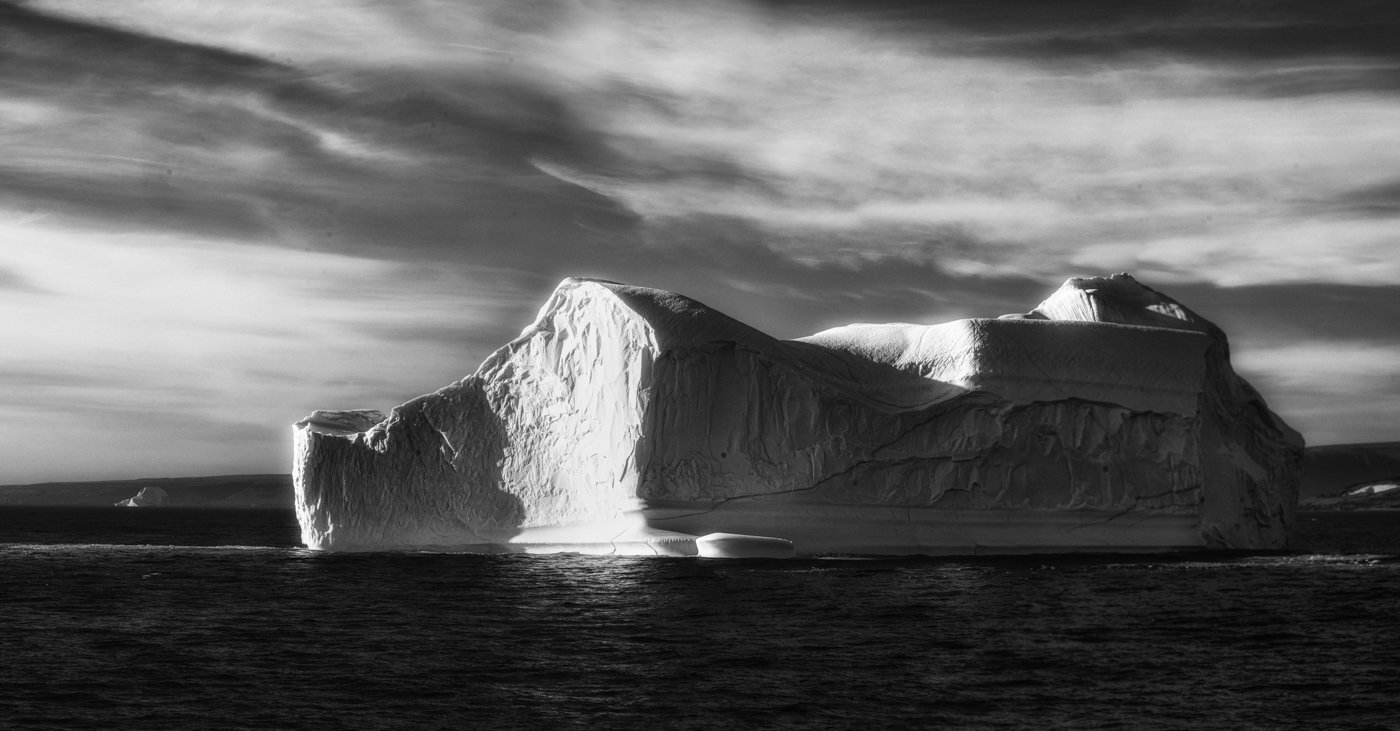
On the East Coast of Greenland lies icebergs that rival 4-story apartment buildings for scale. This was one of those “massif” icebergs. Remembering that 2/3 are hidden below the surface, I was left feeling awestruck. I thought the slow drift of the boat would render the clouds some motion, which it did. Also, the iceberg is constantly changing shape, sculpted by weather and currents. It is ephemeral art.
Feedback Requested
Any feedback is welcome.
Technical Details
Camera: NIKON Z 7
Lens: NIKKOR Z 100-400mm f/4.5-5.6 VR S Z TC-1.4x
Focal length: 190mm
Shutter speed: 1/250s
Aperture: f/11
ISO: 100
A very neat image of this iceberg, Laura. I am a bit puzzled by the water/land surface. If it’s all water, then the horizon looks like it was set on a particular wave rather than the true horizon. I understand that it makes the iceberg look straighter, but it is a bit confusing. If that’s land in the far background, you might want to bring up the brightness enough that it’s distinguishable. The dramatic sky and the shape of that giant berg are really impressive.
Visual Notes
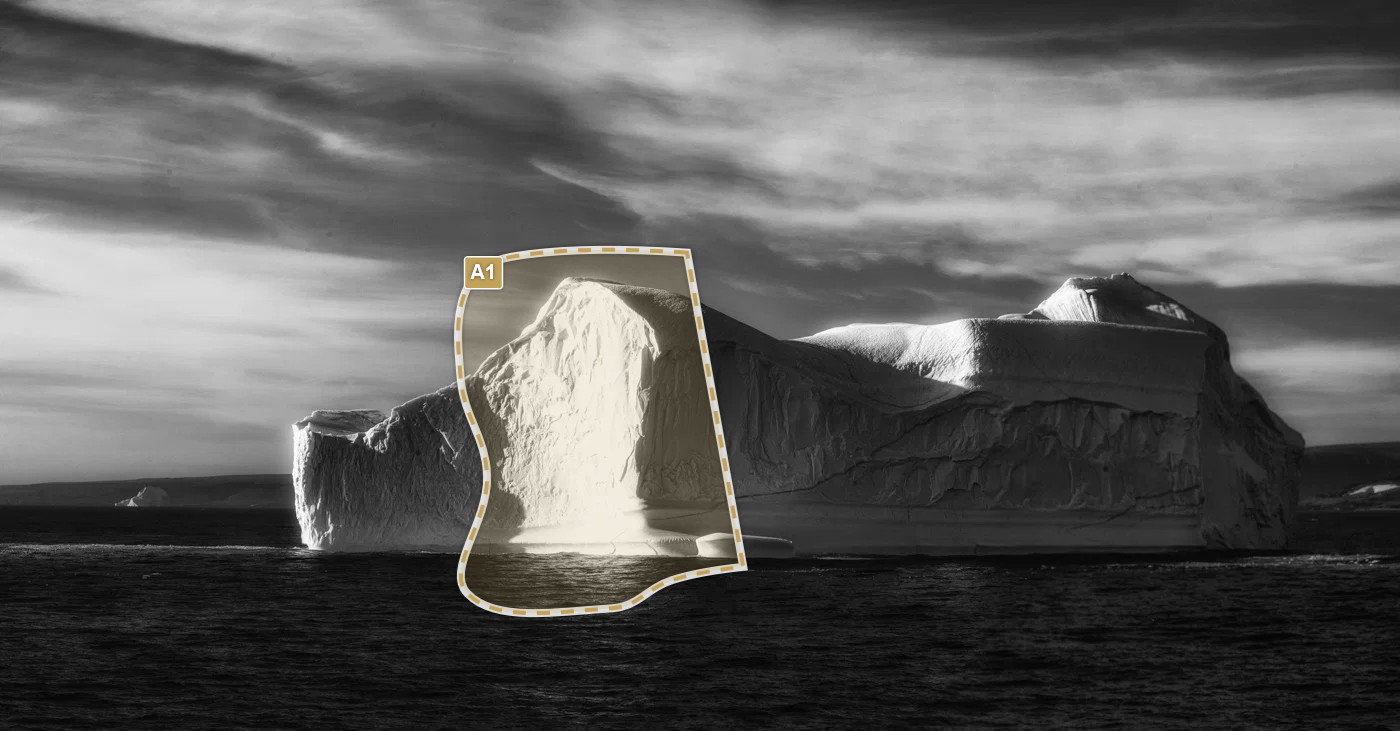
[A1] Can you bring down highlights and recover some detail in this face?
Laura, your view does let the iceberg feel massive (feels a bit like a giant container ship heading to the left). I also like how it stands in contrast to the slightly soft clouds. I agree that toning down the brightness of the main sunlit face and the left most edge would be good. I do like the contrast between the rounded bits along the bottom (from wave action) and the ruggedness of the upper surfaces.
Hi Laura - love this image and the way you have processed it.
I agree with Dennis that the brightness of the main face could be improved by toning down slightly and recovering some more detail
The is a post a revision button at the top of this page as you see it - just scroll up
The contrasty and dark feel with the highlights is lovely
Laura, when you open the thread of your post, there should be a “Share Revised Version” button near the top. That will let you add the revised version above your original post.