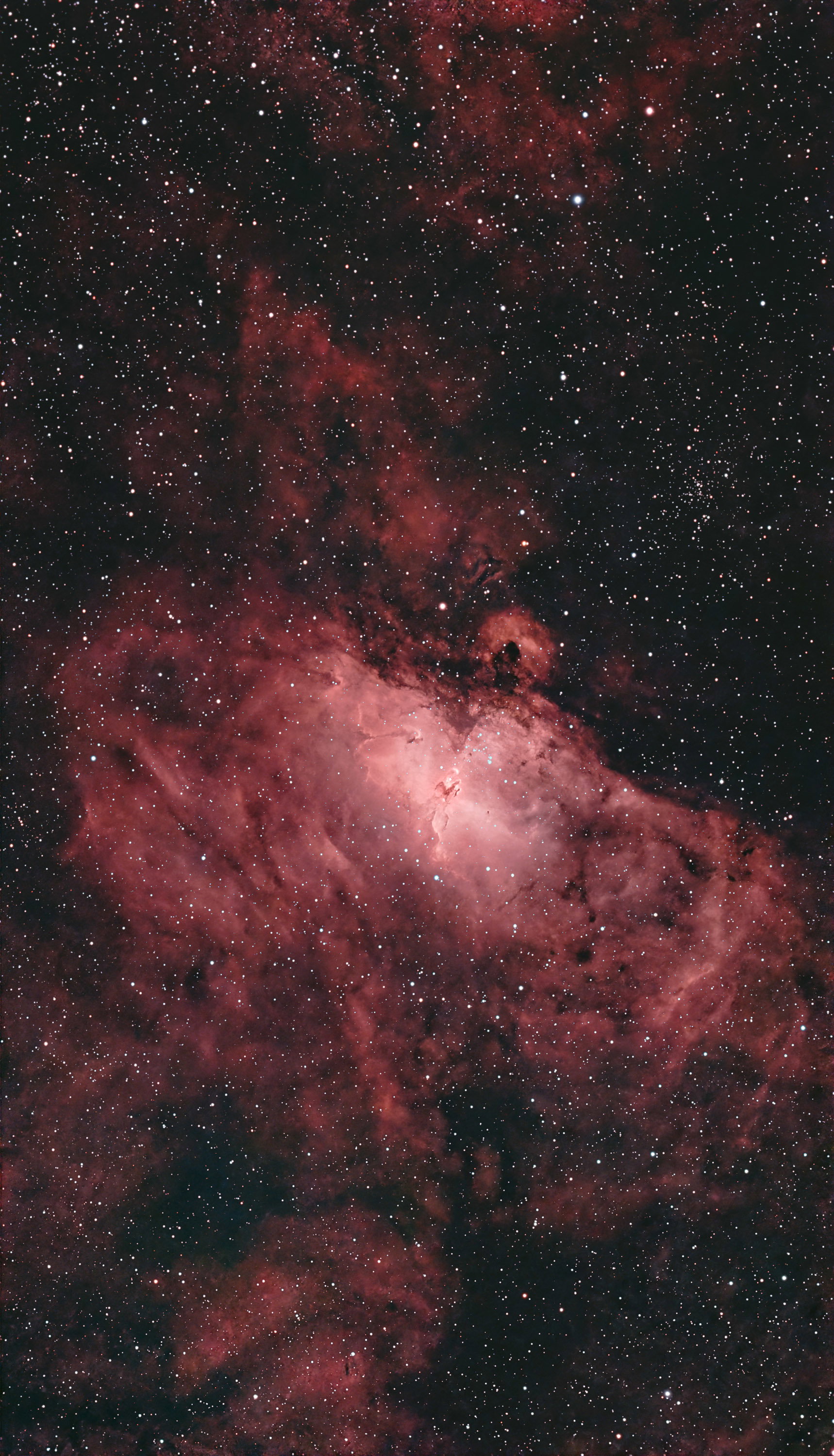
The photographer is looking for thoughtful feedback on the image as a whole, especially around the areas noted below.
Feedback Focus: Technical Help
About This Image
I took this with the new Seestar 50 Pro using a L Enhance filter in front of the Seestar 50 Pro. Back yard Green Valley AZ 3 nights EQ mode
Feedback Requested
Do stars look ok
Technical Details
Total 180 minutes (60 sec stacked) with Astropixels Processor. I use PixInsight with RC astro. This is the first time I used star Xterminator and processed the nebula and star images with Lightroom Classis, Photoshop, and PhotoRaw 20206 Star Xterminator did not preserve the star color very well, So I used a image with the stars there and just used lighten blending in Photoshop. First try split the stars out of the image.
Very cool, Dean. These images always amaze me. I know basically zero about this kind of photography, but form a purely esthetics point of view, I’m wondering if pulling the blacks down to give more contrast with the background dark would make the image pop a bit more. I know that it’s light from all those stars too dim to show even as dots, but we’re used to thinking of it as black. Anyhow, just my two cents.
Beautiful, and nicely done, Dean. The ‘eagle’ is well rendered and the color looks great!
The Eagle Nebula is about 5,700 light‑years from Earth, though some sources list it as roughly 5,560–7,000 light‑years depending on measurement method and reference frame
-P
Very nice! The first time I’ve seen a Seestar image with this much resolution and I’m impressed. Do you have the option to rotate the sensor to give a horizontal frame?
This is a difficult subject, low in the south, and for me it is well into light pollution from Santa Rosa and the SF Bay Area. Looks like you would have some to contend with, too, from home – or are you able to shoot from Kitt Peak? That would be awesome!
The nebulosity looks very good – maybe a bump in saturation would be good. I haven’t used any light pollution filters but suspect yours is robbing some star color. But the stars themselves are nicely round, not bloated and showing a nice size range. The loss of color is possibly due to steps in the workflow, also. When I was using Star XT (in PI, in the linear stage) I was stretching it with GeneralizedHyperbolicStretch, which preserved color well and had a lot of leeway (too much!) for adjusting the sizes and glow. Then stretching nebulosity the same way and recombining with PixelMath.
I’m wondering about your running the whole processing in PixInsight – or at least after pre-processing – since you are using it for some of the steps. Some of the new processes are amazing and much simpler than back in the old days, with still a lot of room for things like star size/shape. This is all I need now, starting from the integrated file:
DynamicCrop (to remove jagged edges from registration)
ImageSolver
BlurXTerminator, correct only
SpectrophotometricFluxCalibration
MultiscaleGradientCorrection (requires MARS database), or the older ones are mostly still OK
SpectrophotometricColorCalibration
BlurXTerminator with star correction
MLDenoise (or any of the older ones are still OK)
MultiscaleAdaptiveStretch (star removal no longer needed!)
Final crop and rotation
Optional CurvesTransformation for saturation but I haven’t needed it with this workflow
That’s it now!! No more cheating in PS! And most of the processes are just push the button and for the others the defaults are almost always excellent.
I’ll be interested to go back to my attempts at this target with the new workflow. I’ll post when done.
Diane_Miller
(Diane Miller)
selected this as an Editor's Pick
6
A very nice example of what can be done by a simple piece of equipment.