Egret with Reeds (+revised)

Revised Version

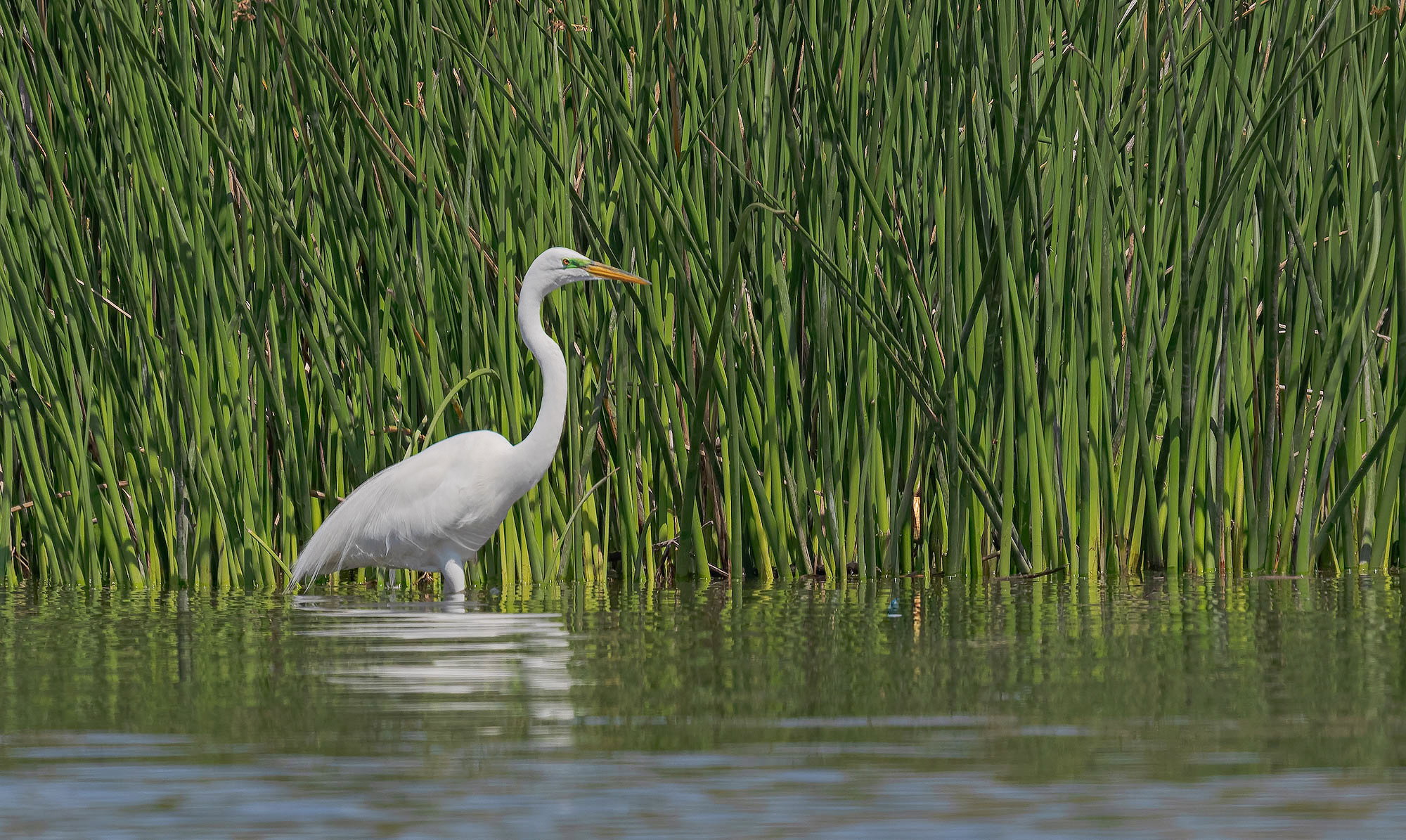
Revision 1 (latest)

Added after receiving feedback from the community.


Original Version

Weekly Challenge

Life at the Margins
8/23/26 - 8/29/26
Critique Style: Standard

The photographer is looking for thoughtful feedback on the image as a whole, especially around the areas noted below.

Feedback Focus: Artistic + Technical

About This Image

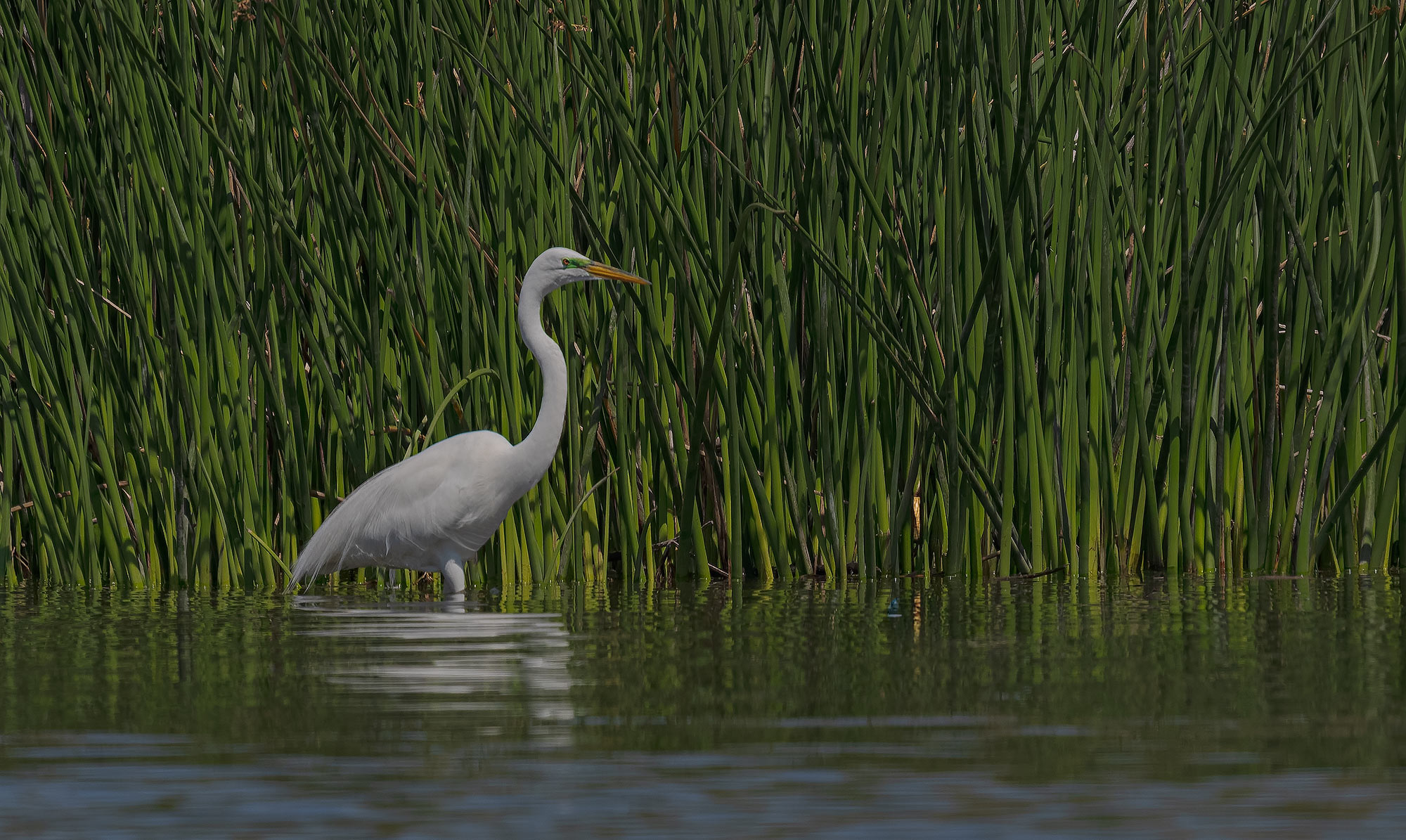
This image was taken several years ago in the San Diego area, at a reservoir that attracts a lot of wildlife.

Feedback Requested

Anything that helps me as a photographer improve my skills

Technical Details

Camera:Sony Ilce 1
Lens:400mm
Focal length:
Shutter speed:400th
Aperture:f8
ISO:800
Flash:

David,

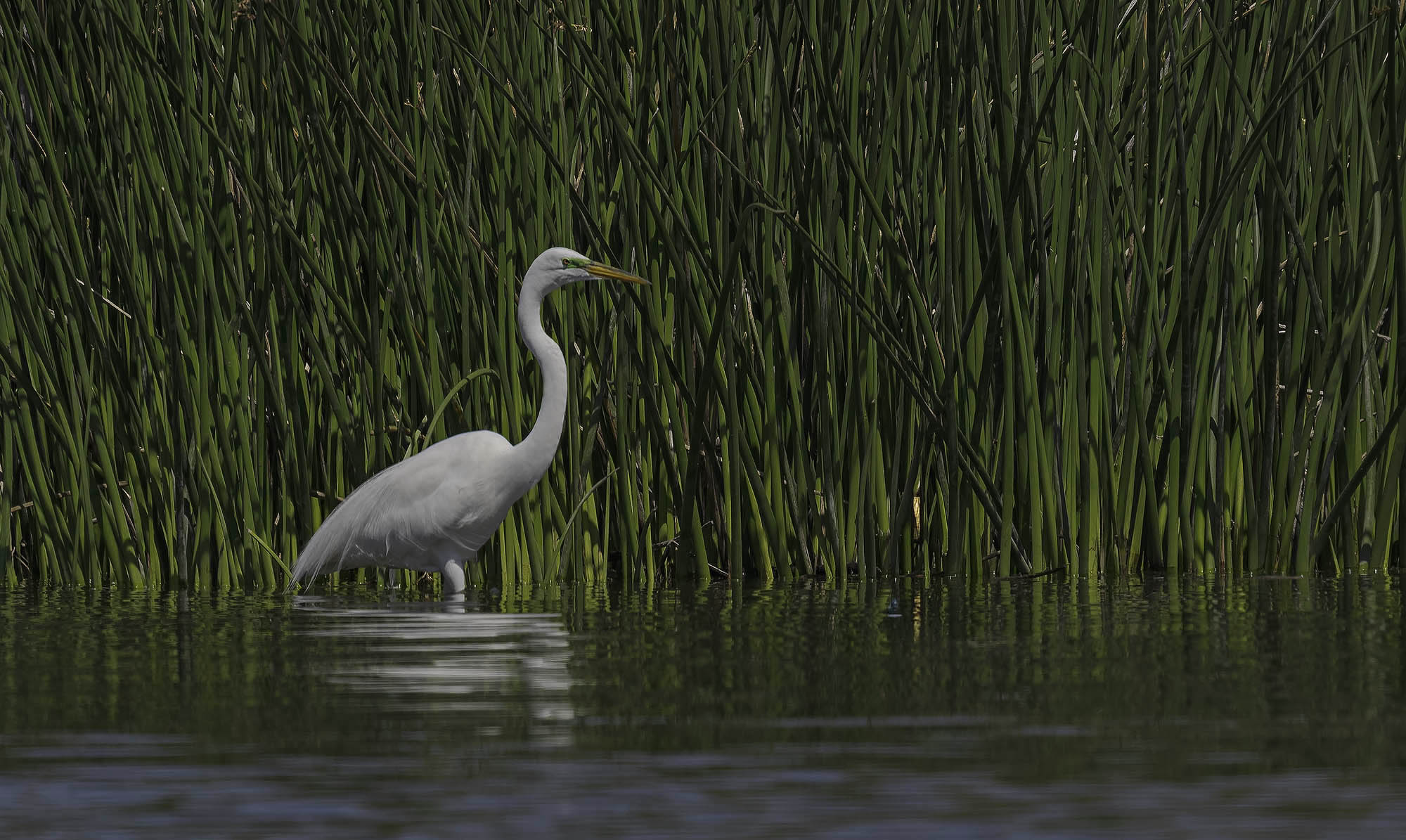
Another great environment/habitat image with an Egret. The uniformity of the reeds make for a wonderful backdrop. The reflection in the ripples are a nice touch as well.

Hopefully it’s just me, or I’m not recognizing a certain species… but this bird seems pretty gray. Is it me, or should this one be a bit whiter?

I did notice that this image doesn’t have an assigned color profile and I expect that is what I’m seeing. But yeah, the Egret is a little flat and gray.

Love the capture!

David, I really like your composition here, but the image seems a bit dark to me. I took at shot at something a little lighter.

Hi David. For some reason the egret does come across as very gray in the original post, so I’d definitely bring it up quite a bit and I agree with Jonathan that the whole image could probably use an exposure boost as a start. The scene is lovely and the egret has that lovely green breeding patch that needs to be shown off.

The original poster added a revised version of their image.

The original poster added a revised version of their image.

Lon
I appear to be very confused about the whole color profile issue.
My Sony A1 is set to SRGB.
The image that I saw in Photoshop, which is also set to SRGB, looks pretty good.
However, when I post the image, it is darker and grayer
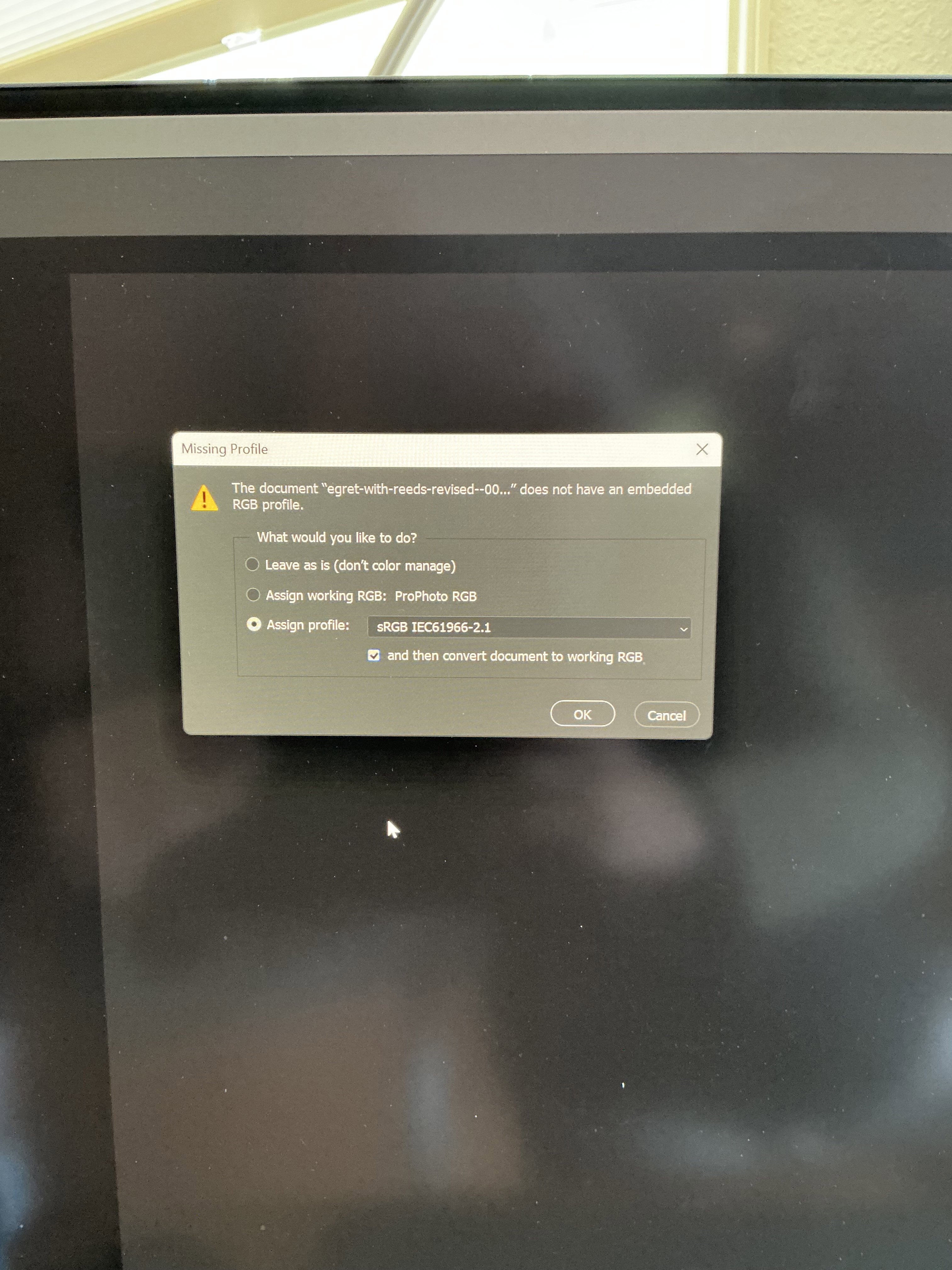
I get a couple dialogue boxes that indicate the color space.
I am exporting and using save as sRGB.
I have used the check box below with and without the checkmark that says then convert to working RGB. I have brightened the image.
Doesn’t seem to make any difference. And I’m confused about this whole color space issue!d
Thanks for your help.
David

I am too David, so no worries. And because I don’t really understand it so well, I went searching and found a couple of statements that may help. And thanks for posting the screenshot, that tells me the sRGB profile was “Assigned” rather than “Converted”. Also, the profile should be “embeded” in the JPG. From the internet:

Assign is what you use if the file doesn’t have a profile at all - or if someone assigned the wrong profile previously.

When you convert into a different color space, you’re not supposed to see any difference in general appearance. The numbers are remapped into the new color space, preserving appearance. That’s the whole idea of color management.

To better understand the difference, open an image and put the histogram on top. When you convert, the histogram changes, but the image stays the same. If you assign, the histogram is unchanged because there’s no remapping. But the image changes because the numbers get a new meaning.

Also,

Assigning a profile doesn’t change the document’s color values. It only changes how Photoshop interprets those values, which may significantly alter the appearance of colors on your screen.

So what I take out of this is that if a Profile is only “assigned,” the color values don’t change - however, when presented in a browser, which then “interprets” the colors rather than displaying how it’s told to display them.

When you “convert” to sRGB say from Adobe 1998 or ProPhoto you shouldn’t see and changes in appearance. The color values get remapped to the new space - hence they display properly in PS or a browser.

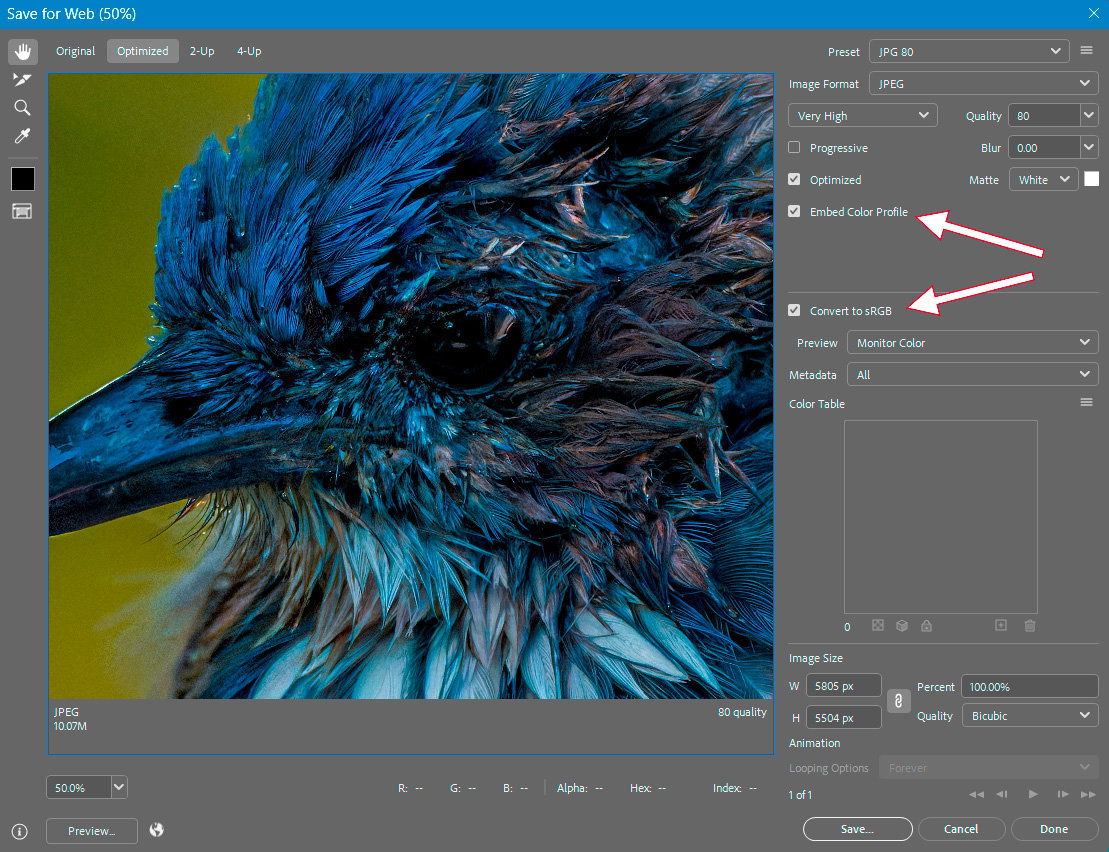
Maybe someone who knows and understands more can chime in. I use the classic “Save for Web” dialogue (Actually one of TK’s actions in his panel), which calls the Save for Web dialogue. Below is the screenshot where one would select the “embed color profile” and “convert to sRGB”

In a nutshell, my working space when editing images is ProPhoto RGB or Adobe 1998. After re-sizing and sharpening for the web, the image is “converted” to sRBG and the profile embeded in the file and saved as JPG. This insures it will display as you viewed it in PS.

I think.
Close. The conversion to SRGB doesn’t maintain the full color space of your editing space, so there can be some modifications-usually not very important. On the same monitor, it should be very close.

Regarding Revision 1:

Very nice environmental shot, David. The egret stands out well against a pleasing backdrop. The revision looks better.

David, the Egret standing in front of that wall of reeds is a great shot, showing off both the bird and the environment. The lightening of the repost helps, but it still looks too dark. I’m not much help in terms of the details of color management, so I’ll stay out of that discussion.