I’ve been away so I’m not sure how to swap or add a revised version of my original image in a critique posting. Anyone?
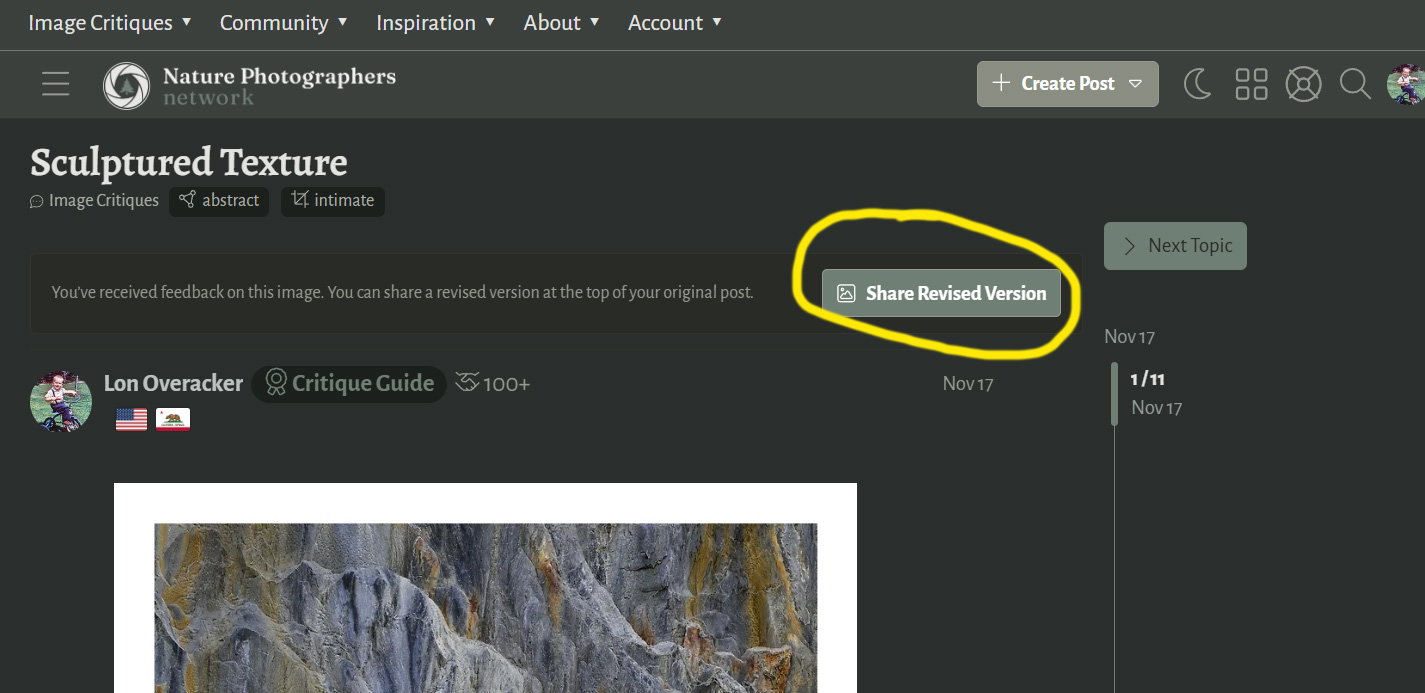
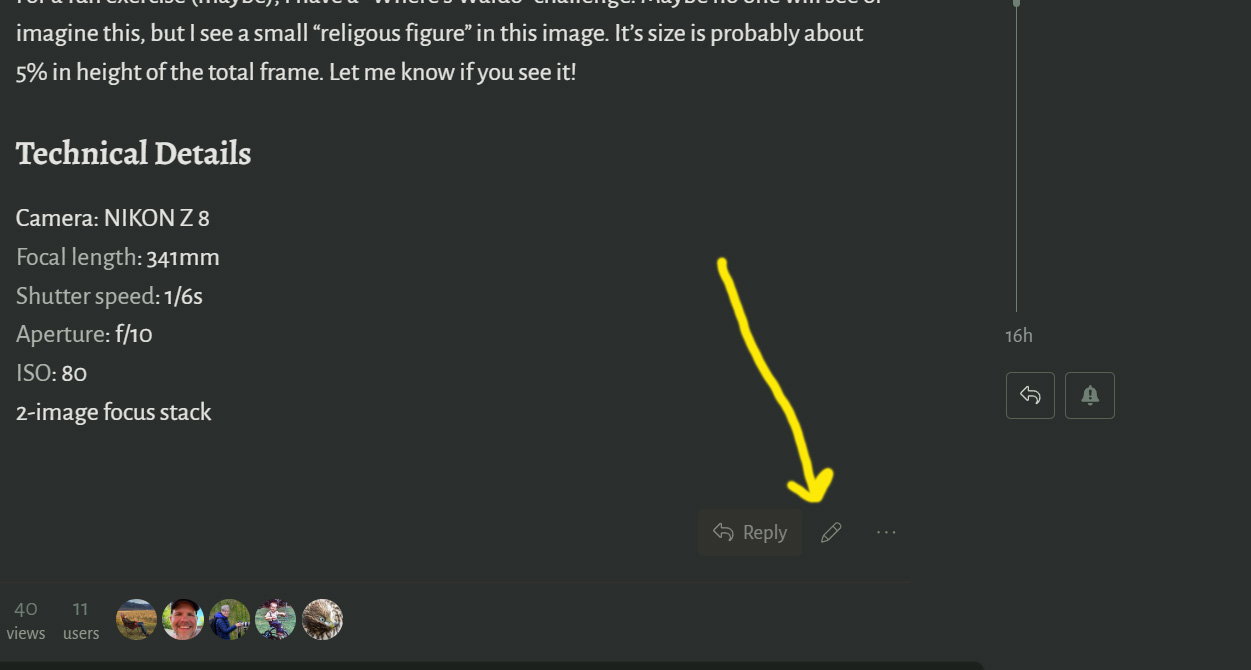
Hi Kerry! The old way should still work to swap or add a revised version, meaning the icon of a pencil should still be at the bottom of the post, allowing you to edit. But if your post has received comments/critiques, there should be a new method available. At the very top of the post there should be a prominent button “Share Revised Version”. This opens a new window for you to upload the new version and describe what has changed.
I hope this helps
1 Like
Thanks Steve.
So, I click on the edit pencil, and my image is there and below it an HTML panel. But I’m not clear how to exchange the present image with a revised one from my desktop.
I have not seen that before. @David_Kingham is the HTML panel expected?
Kerry,
First of all, welcome back! Great to see you and look forward to your images from your new digs! Congrats on the move.
I’m pretty much just echoing what Steve wrote, only I’ve got some screenshots. Apologies up front as the first 4 screenshots you’ve already figured out, but showing for the sake of sequence.
Basically 2 options. 1st, as Steve mentions, there’s a “Share Revision” button once comments have been posted. This is very simple. Downside is, you can only upload 1 revision a a time.
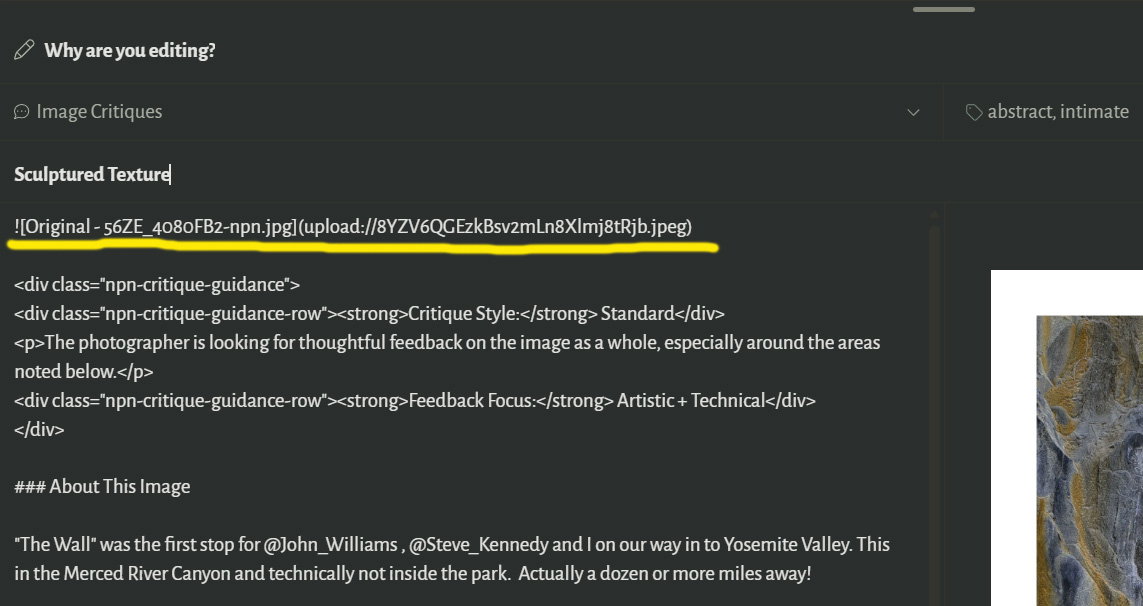
Option #2, is editing your post, also as Steve mentions. What does get tricky I suppose is the html part. Actually, you don’t need to know any coding what so ever. You just need to know how to cut-n-paste. You’ll see in Edit mode, the code that displays your original. For Example:
Original - 56ZE_4080FB2-npn.jpg](upload://8YZV6QGEzkBsv2mLn8Xlmj8tRjb.jpeg) (I’ve removed :
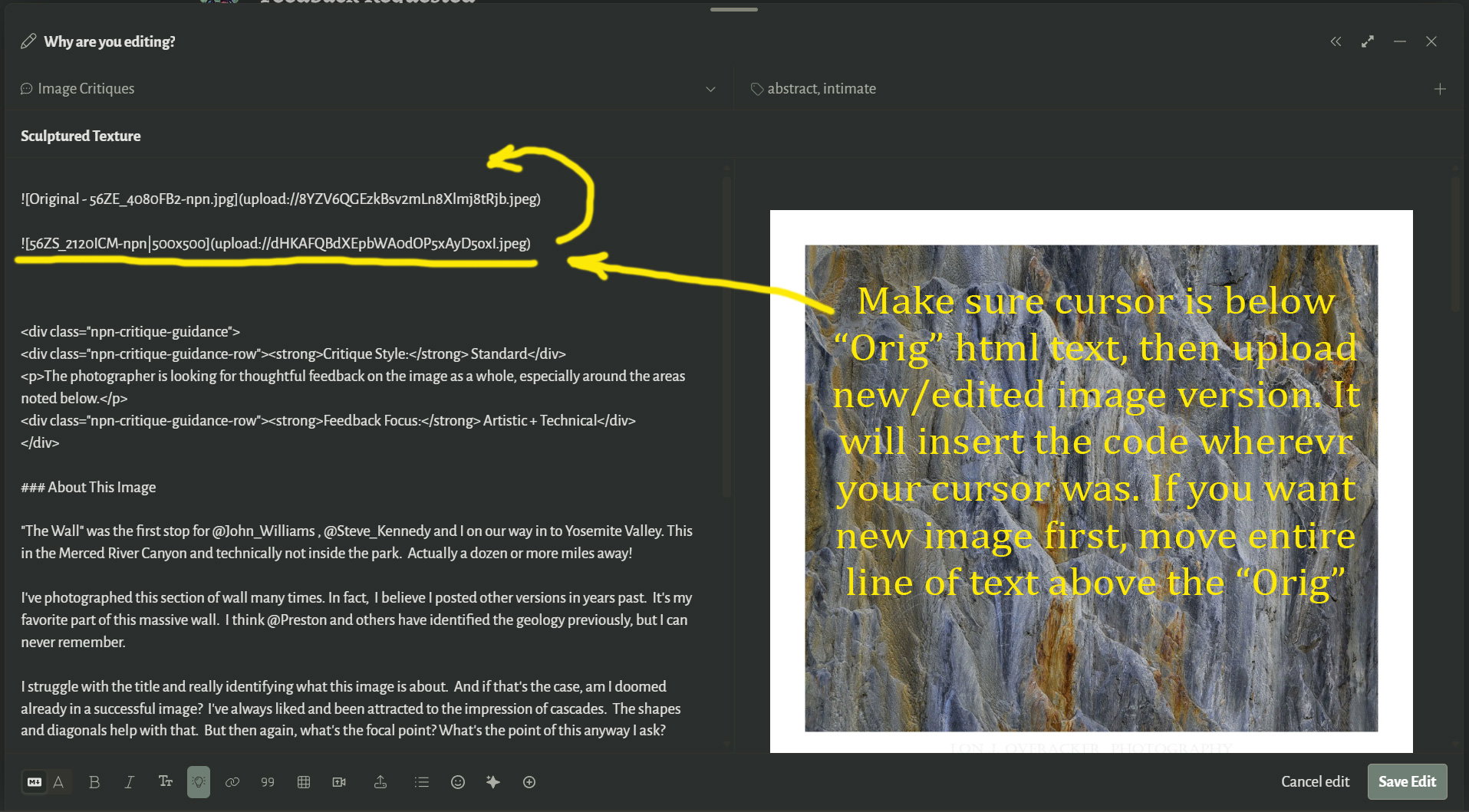
You can then cut-n-paste that exact text anywhere else in the image - typically above or below your original depending on which you want to show first. TIP, if you want to move the new code above the original line, you must first add a carraige return above the original line so there’s space to paste.
Anyway, here’s a sequence of screen shots to illustrate. Hope this helps
Add revised version to original post:
Edit your Post:

Thanks @Steve_Kennedy and especially @Lon_Overacker - I think I got it!
Hey guys, this issue has come up a number of times recently, so I’m currently building a feature that will allow you to edit your original post just like you would in the submission form, so no more of this fiddly stuff! Hope to have it done this afternoon.
There is now a new option below your original topic labeled “Edit with form.” This will open the post in the form for easy editing. FYI, this is only available when there are no replies. Once there are replies, use the Add a revision button; the original is locked since the feedback is based on that original. I hope this makes it much easier!