Bad Hair Day (+revised)

Revised Version

Revision 1 (latest)
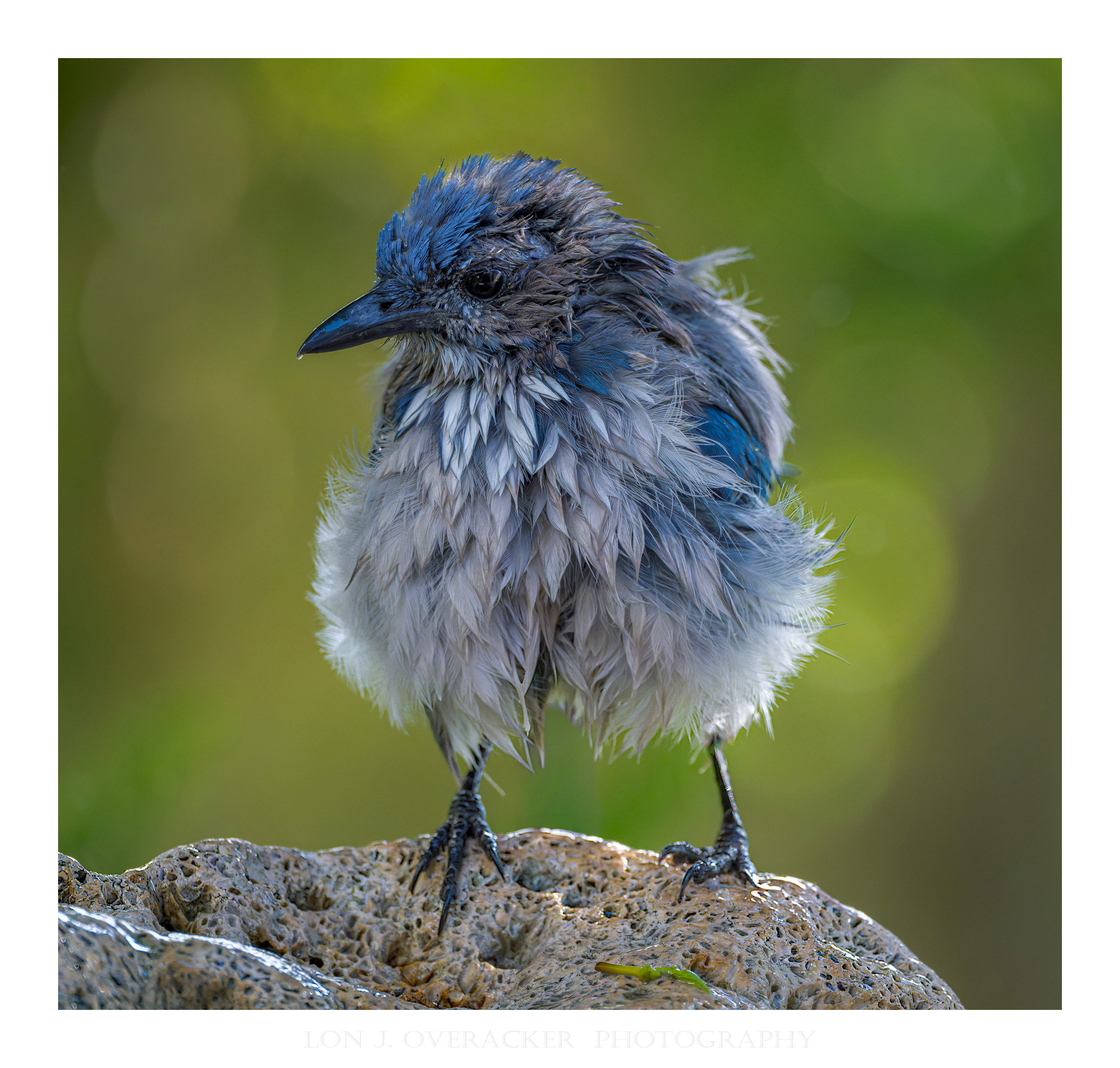
What changed: Per Diane’s great suggestions, did some more exact cloning between the legs and also brought out some luminosity in the face. I also tweaked the blue in the head by slightly adjusting the hue and saturation

Added after receiving feedback from the community.


Original Version
Critique Style: Standard

The photographer is looking for thoughtful feedback on the image as a whole, especially around the areas noted below.

Feedback Focus: Artistic + Technical

About This Image

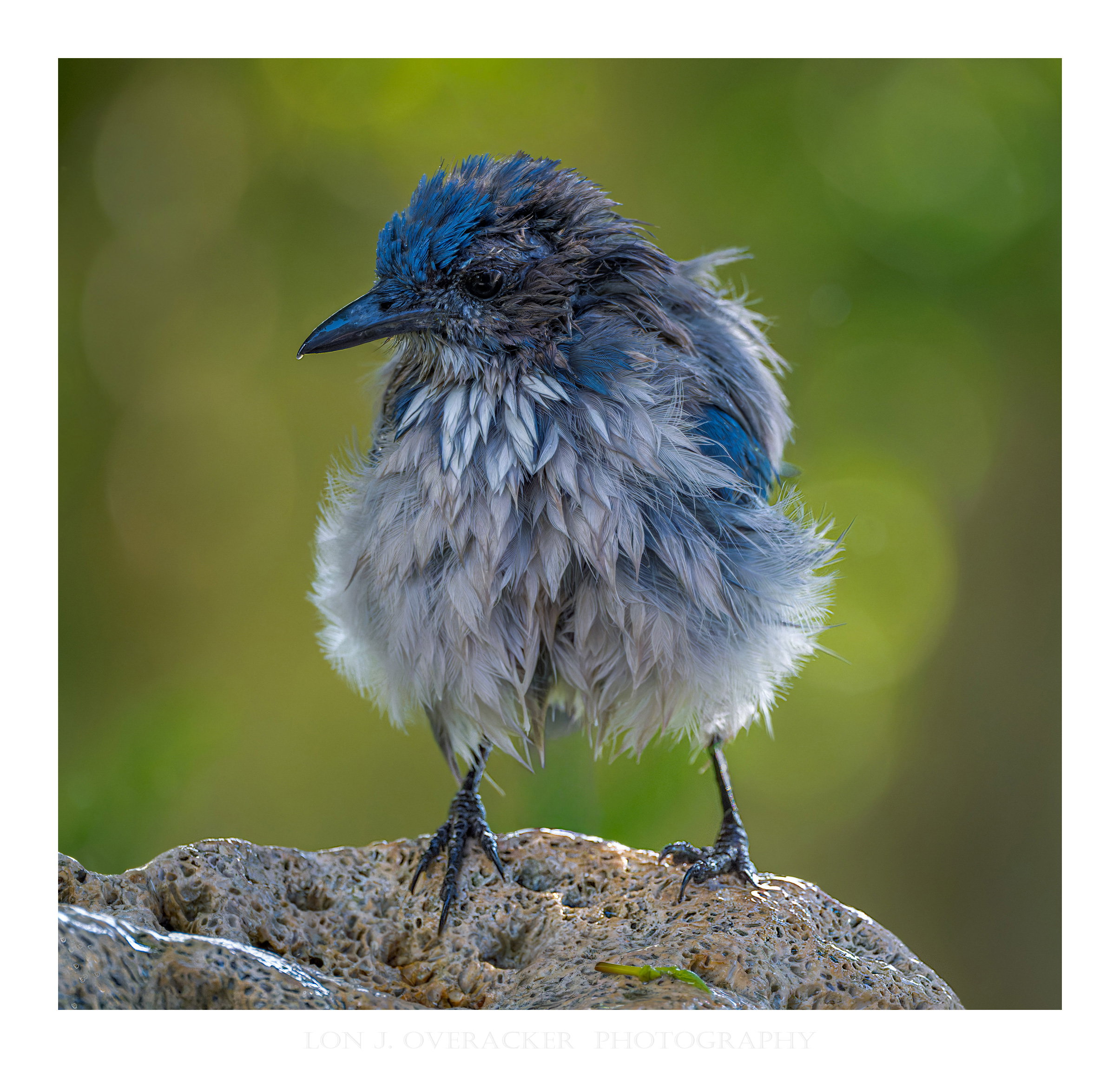
Speaking of splashing around in the birdbath… Still having fun in the backyard. This was captured a couple of weeks ago. My wife hates the CA Scrub Jay - and I admit they’re loud, obnoxious and usually clear the yard of other birds… but still they entertain and they have been posing very nicely for me.

We added this birdbath not to long ago and been trying my hand at some spashing around. Unfortunately I haven’t nailed the focusing during these bathing events - the AF grabs on to the splashes and so I don’t have any good, in-focus shots of the birds splashing. I guess I’ll have to revert to manual/preset focus and try from there. Anyway, this guy posed nicely for me after his bath.

Feedback Requested

As always, your comments and feedback are always welcome. I’m expecially interested in hearing about the processing, and also how the sharpness and detail come across. I’m loving my new lens, but still trying to streamline the noise reduction and sharpening aspects of processing these images. Your feedback and tips are always appreciated! I’m learning lots!

Thank you!

Technical Details

Camera: NIKON Z 8
Lens: TAMRON 150-500mm F/5-6.7 Di III VC VXD A057Z
Focal length: 476mm
Shutter speed: 1/2500s
Aperture: f/7.1
ISO: 16000

Again, a case where I had previously photographed a hummer at the feeder with the high shutter speed, and didn’t knock it down when this guy decided to take his bath. I would have preferred to not shoot at such a high ISO - but DXO is doing a great job!

Processing notes: In full transparency, there was an out of focus pole running right behind the bird; between the legs, out thru his head. I spent some time with CA cloning to get rid of it. Hope it looks ok.
1 Like

Yup – a typical avian bad hair day!! We should have an Ugly Bird category. The NR and sharpness/detail look excellent! There is a gray smudge under the body that may be a remnant of the pole, but wouldn’t be noticeable without your mention of it. The cloning looks excellent otherwise. I had a go at the remnant with a trick that sometimes works – I cloned out as much as I easily could but a dark border remained. Since the feathers there are light I switched the clone tool to Lighten and was able to wipe out the dark border with only a small change to the feathers. Then I went to quick mask mode and with a large soft-edged brush painted over the face. Back out of QM mode to leave a selection and made a Curves adjustment layer, and brought up the middle of the curve to give a bit of punch to the face. That made the blue a little odd and I didn’t tweak it but that would be an easy next step.

1 Like

I like the disheveled bathing look, Lon. The little gray patch under the bottom I just took for some out of focus feathers so it didn’t bother me at all. I do like the processing @Diane_Miller did to make the bird pop a bit more. Years ago, I was at a presentation and the speaker mentioned that he would often take brush just a little extra light and warmth onto the faces of his subjects to pull the eye there. I have adopted that policy for many images and I really like the effect.

1 Like

The original poster added a revised version of their image.

Thank you so much @Diane_Miller and @Dennis_Plank !

Diane - fantastic and detailed feedback, I truly appreciate it! To be honest, I almost sent you a DM to ask more specifically how you made those changes, but part of learning is also figuring things out! For example, “using the clone tool…” Well, was that in LR/ACR? Or was that on a duplicated layer in PS? In PS, there’s the “remove” tool, Content Aware Cloning in the Edit menu and then there’s the AI Remove features in LR/ACR. Anyway… I ended up using the remove tool in ACR for the “rough” clone/remove. Then, back in PS, I used the “Remove Tool” on a stamped/cloned layer so I could use the Blend mode of “Lighten”. Wow, what a cool trick! Took me a bit to figure all that out, but I think I managed. Hopefully the revision takes care of those things.

I also tweaked the luminosity and hue/sat of the lead and face. Thanks for the detailed suggestions!

The Clone Tool is in PS – an oldie but goldie. The 10th one down in the toolbar. Should be lots of tutorials but it’s just click a sample point and click where to paint from that sample area. Choose the size and hardness of the brush and the modes at the top. I like to do it on a duplicate layer so I have an out. The new Remove tool, like many of the AI things, can be far from perfect. Check the result at 100%. This job was microsurgery – very small brushes zoomed in to 100%.

2 Likes

Excellent job on the new version, Lon. You learn fast!

1 Like

Regarding Revision 1:

Cute close-up, Lon. Nice pose and excellent detail. Good work on the revision. I also like the rock and the background.

Really lovely bird image and learnt loads from processing - thanks @Lon_Overacker and @Diane_Miller

Huw

Lon, I’m late to this critique but I wanted to chime in and say what a fun image you captured, a blue fluff ball.
I like the revisions.
Alice

1 Like

This shot is a real treat, Lon. The latest revision looks great.

This little bird looks very similar to the way I feel in the morning before the coffee takes effect! :slight_smile:

Nicely done, sir!
-P

1 Like

Hi Lon, I like the revision. Nicely lightened and still looks natural. Great catch of this cutie with all the puffed up feathers. I like the perch and background also. Well done.