The photographer is looking for generalized feedback about the aesthetic and technical qualities of their image.
Description
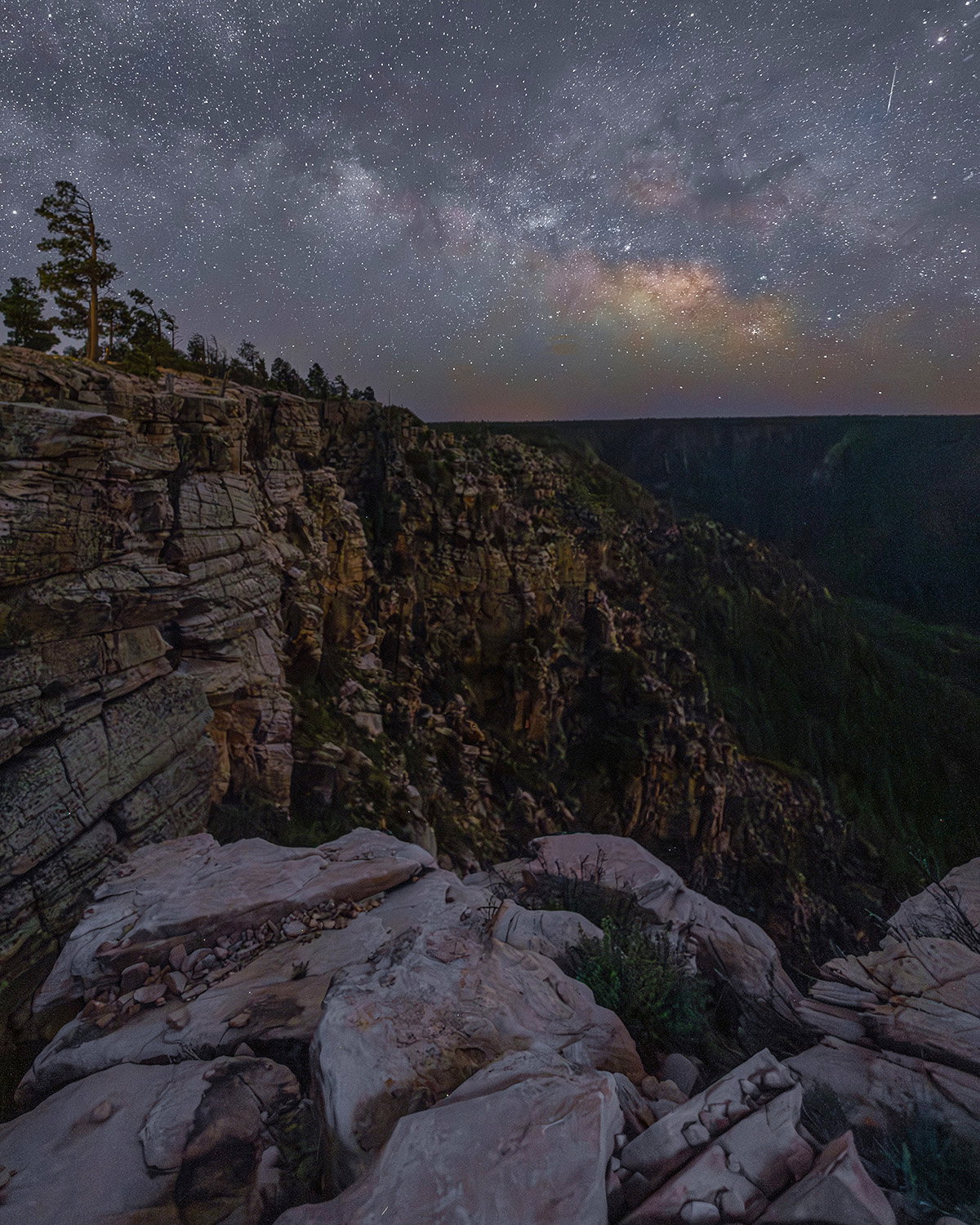
This is my first attempt of the season, after picking up Milky Way photography last summer. It was taken from Horseshoe Vista on the Mogollon Rim in Arizona. It’s a 2000 foot drop from the top of the rim to the valley below. I wanted to show the height of the rim and rugged rock formations along with the MW. I had three spots picked out and rotated between them from 10 pm to 1:30 am. This one is from about 11:45 when the MW was still pretty horizontal.
Specific Feedback
I would like some feedback on post-processing. Does the image look natural? Is it too dark?
Technical Details
Canon R5
Canon RF 16 2.8
Two photo stack
foreground (ISO 1000, 2.8, 120 sec.)
sky (ISO 3200, 2.8, 15 sec.)
Ah-HAHHH!! It’s finally Milky Way season!! A very nice capture with lovely detail on the FG rocks fading to the distant rim. The sky feels a little overexposed for such a dark location, but certainly artist’s choice. Noise looks well managed and it looks like you might have a genuine meteor trail instead of a satellite. The lens has done a commendable job with star shapes in the corners and the colors look realistic with the dust toward the galactic center. Hope you did as well from the other locations!
Hi James,
Nice view of the milky way over our favorite earth
I like the composition with the heart of the milky way showing very clearly. I would add a little bit more contrast for the sky part while trying to restrain as much detail as possible. it is a bit too “bright” and may beneficiate of some darker tone.
The foreground is well lit and in focus with the line on the rocks naturally driving our eyes towards the milky way.
The deep canyon on the middle-ground is quite noisy and with minimal details, it might also be a bit darker to better convey the sense of night time.
Please do not get me wrong, it is a great photo ! a bit more popping on the milky way would make it even greater in my opinion
Looking forward for more milky way photos !
Pretty much agree with what has been previously said. I would like to see more contrast in the sky, with the background “blue” being darker, perhaps by using an S curve limited to the sky area. Another way is to use median noise reduction in the sky which knocks out the grey being created by myriads of pinprick stars without affecting bigger stars. This form of noise reduction can be too far reaching, so blend a layer of the original without noise reduction with the noise reduction layer. Mess around with the blend % til you are happy.
I am in now way an astro nor milkyway guru. I’ve dappled, but never really masted either the image capture or post processes for this genre of photography. So take my comments with a grain of salt.
I first thought that you did well to balance the light of the landscape with the night sky. I’m not clear if you did a blue hour blend with the night sky, or if this was a single exposure processed to get both the landscape and the night sky. Regardless, I think this came out nicely.
Yeah, some noise in the canyon as pointed out - and only pointed out by us fellow photographers. Not a huge deal.
I hadn’t thought about the brightness of the night sky - the milky way actually looks prettty good, but I hadn’t thought about that until reading the comments. I think a small matter and tweak in processing.
Overall, I think you did very well - and I’ll leave it up to the experts to continue making process improvements. But you’re certainly on your way.
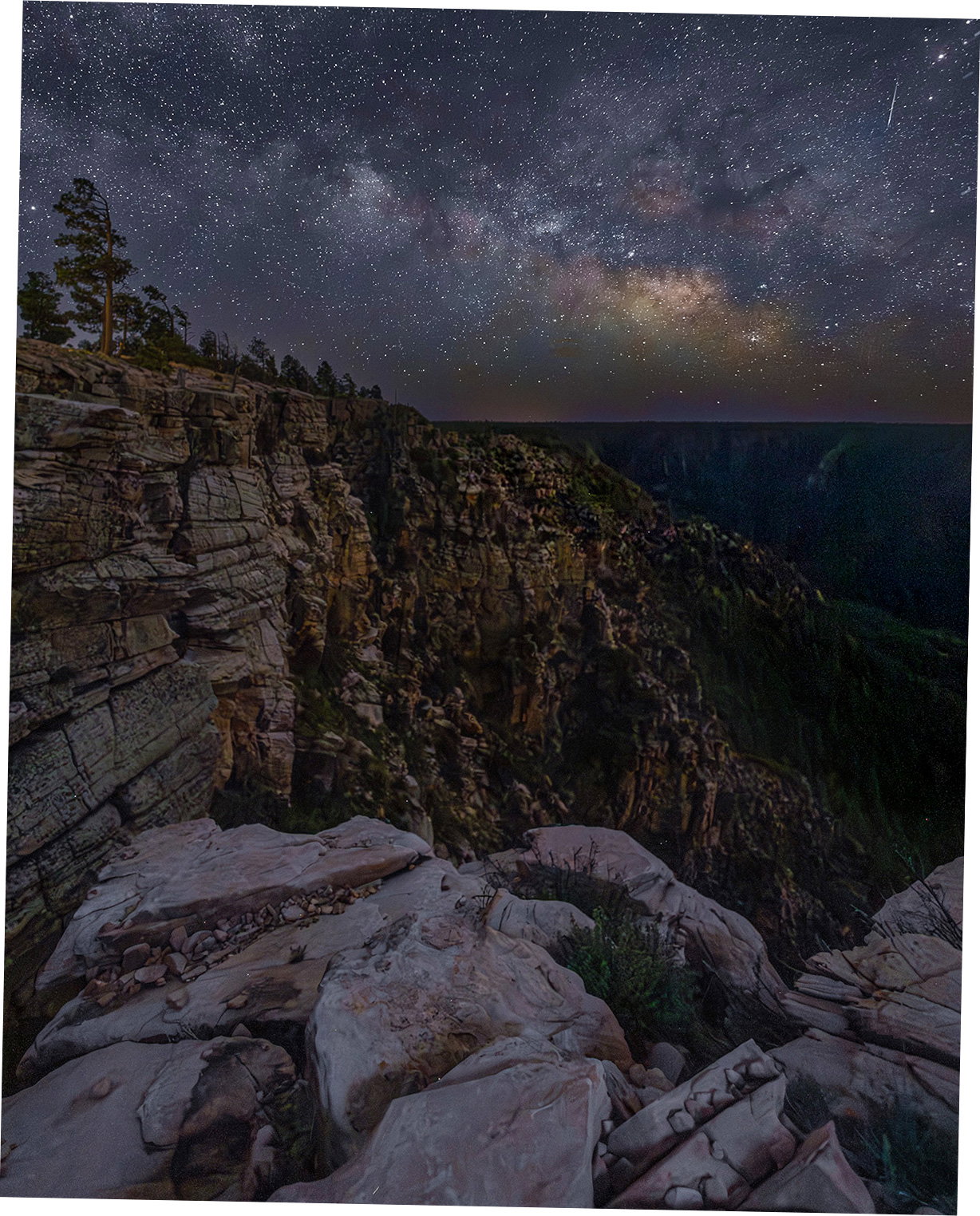
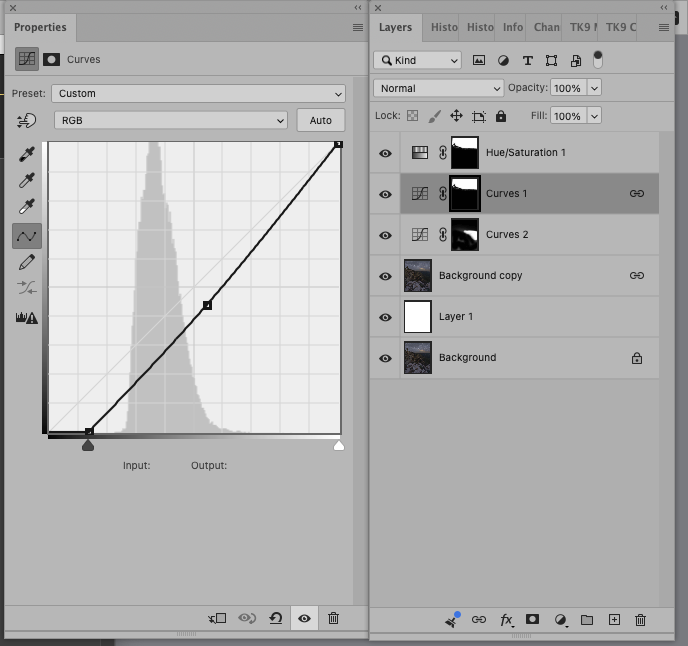
Looking at this again, I decided to have a look at darkening the sky. Working from the JPEG limits sophisticated tonal adjustments but you can get the idea here. There is obviously a need to keep contrast low on the FG but the distant cliff face has lost the darks. They could be restored and the lighter detail subtly brought out with basic curves. When i darkened the sky the saturation became unrealistic do I lowered the saturation of just the red channel. The horizon is also a bit crooked so I fixed that as well. You don’t mention your processing but here’s a very quick illustration with PS.
Thanks, Diane. I’m getting ready to try the edits you suggested. I thought the meteor(?) looked good enough to keep. Adds a bit of interest.
My post process is a bit of a mix. I took the Kristine Rose quick course so that is my starting point. I do all the adjustments in LR for each layer, including noise reduction. I know there is some debate on noise reduction, but I think it worked pretty well on these. I did take some blue hour shots, but these were just two different exposure lengths. I brought them over to PS as layers, selected sky and voila. It was pretty quick and easy actually. Then I tried to bring out some spots using masks. I wanted to get something out of the dark ridge because it just felt like a big black hole in the middle of the image. Not so much on this view, but on the others where it is more prominent in the composition.
Another question–do you get these to print well? Mine are always too dark.
Thanks, Lauric! I appreciate your feedback. I will try what you suggest. I like your suggestion of darkening the middle canyon. That might give me three levels of darkness, hide the noise and lead the eye more. The green on the right is really noisy. Have a great day!
Still getting the hang of the new website. I thought the comments would reply to each individual post.
Thanks Rob and Lon, I will definitely make those changes and try the S curve. I enjoyed seeing your images. It’s great to see the pages with all the images and think that every one is solid. I look forward to seeing more.
I don’t know that course but your processing sounds good. Looks like some nice moonlight for the FG.
Prints too dark is a well-documented problem, stemming from a mismatch in your computer screen brightness and a profile mismatch with that of the printer. An internet search will turn up a lot of information. Check out the proofing capability in PS. Two other factors are that the image going to the printer needs good contrast (rely on the histogram more than you monitor there) and the print on the wall needs good lighting.