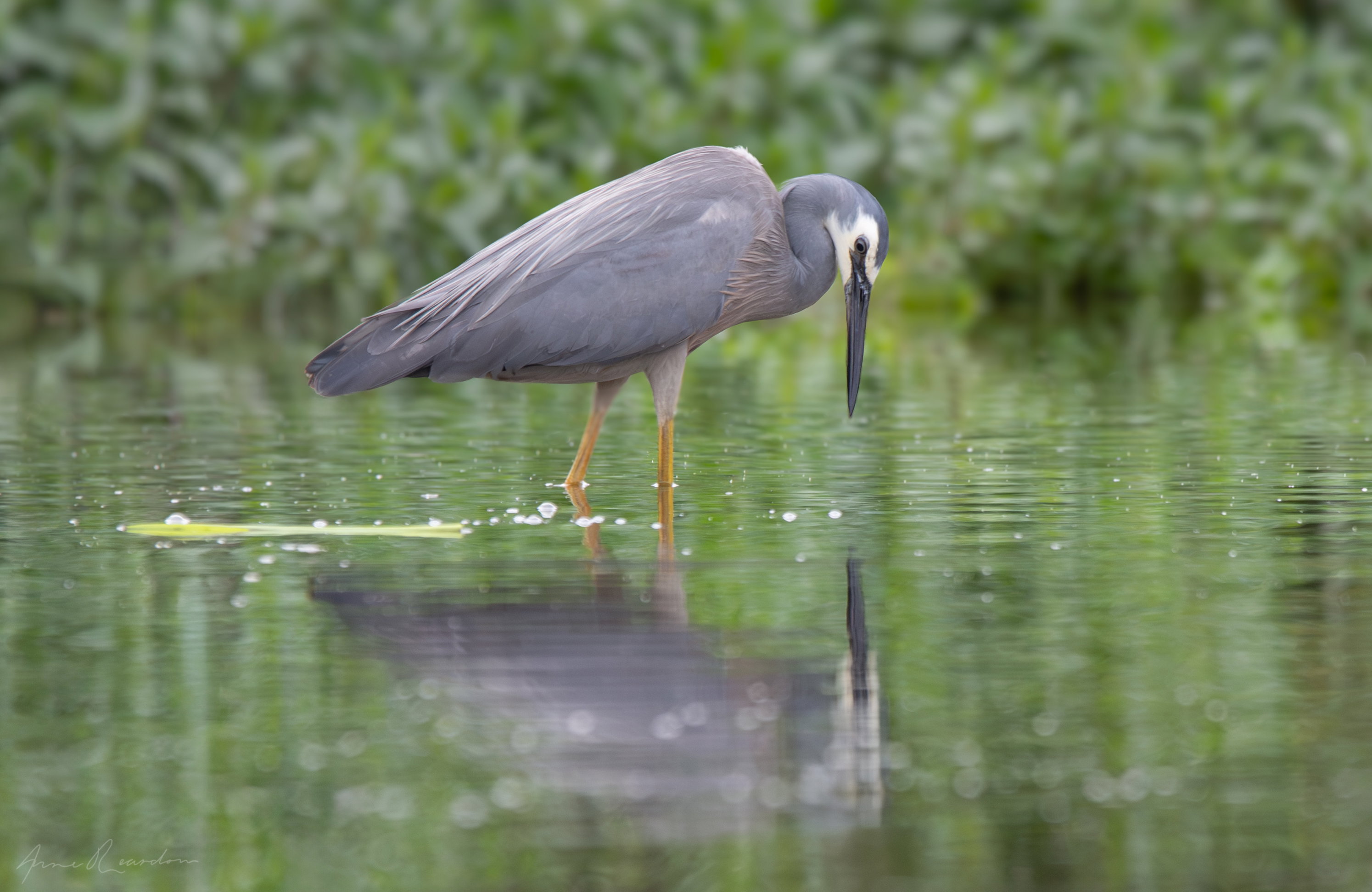
The photographer is looking for thoughtful feedback on the image as a whole, especially around the areas noted below.
Feedback Focus: Technical Help
About This Image
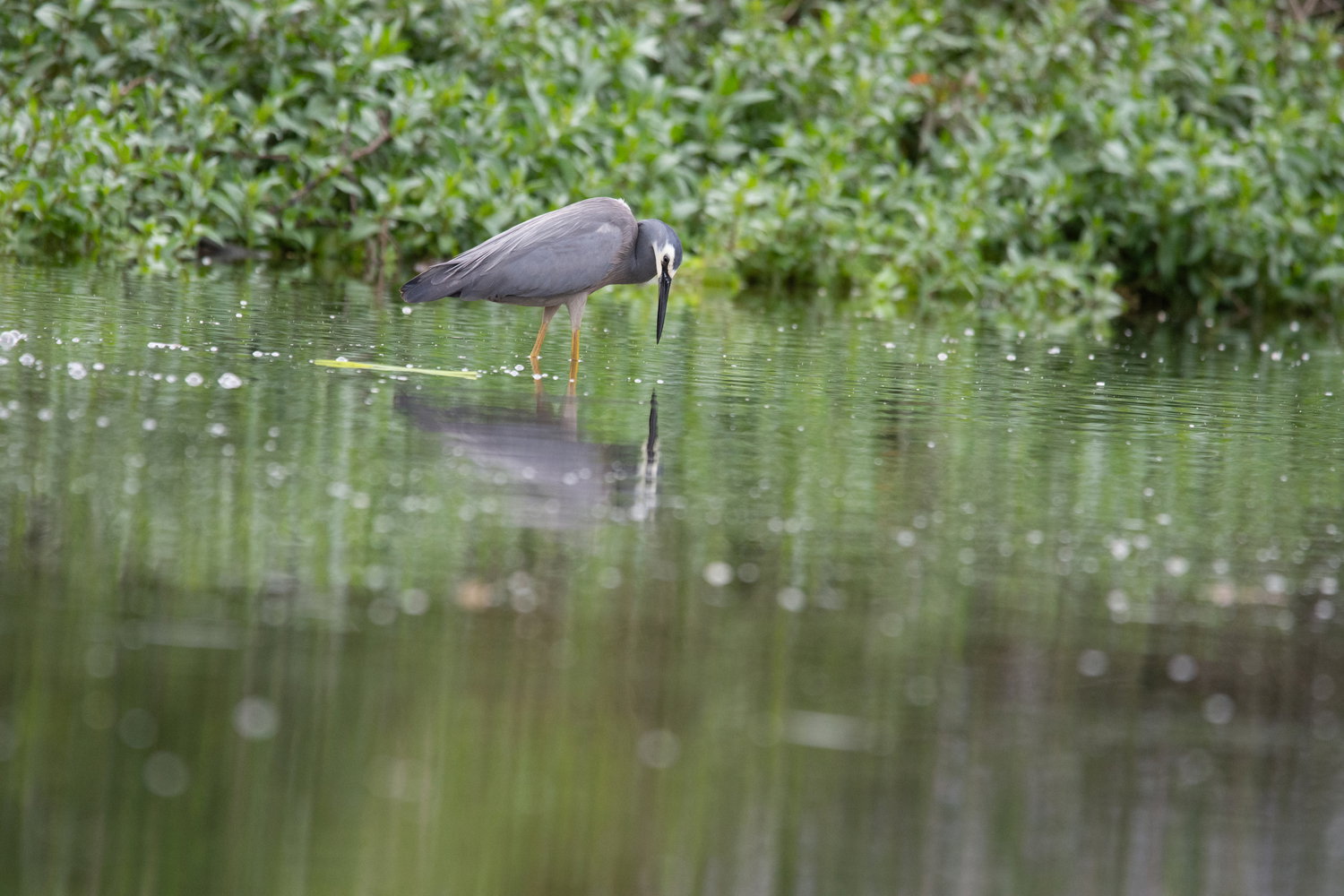
The photograph was taken while short cutting across shallow water and mud as the tide came in. The river is fresh water, but tidal. It was possible to kneel in the mud to get below eye level on the bird, but not to move around and control the background to a great degree. Disturbing the bird was also a possibility. The background in the original is close and high contrast as the time of day was less than ideal. As is often the case, the early morning light we had arrived early to take photographs in went to waste as very few birds were evident at that time. The background has had the contrast and clarity lowered, shaddow and highlights adjusted individually, some haze added (dehaze slider in photoshop). A couple of light bright branches showing through the folliage have been cloned out as have inconvenient small bright floating objects. I did my best to adjust the curve over the bird however, I think it look flat. I increased the texture on the whites of the face a little hoping to give me more scope to achieve a satisfactory white point without sacrificing the little feater detail captured. Foreground has a linear filter adjusting clarity, contrast and brightness (I tend to adjust highlights and shaddow independently rather than exposure). Texture was increased a little along the upper back in a line leading to the face. I think the bird still lacks dimension and interest. I have no intended use for this photograph, its simply a chance to improve my processing skills.
Feedback Requested
There wasn’t much time to mess with camera setting although any advice on setting would be appreciated (I could and probably should have used F8, in mud and shallow water, the shutter speed was needed as I did not have a tripod and was pretzeling to get low to the water…not very steady). It the processing that interests me here, and better rendering the bird itself.
Hi Anne. Welcome to NPN and the bird group. Thank you also for the detailed description of how you captured and processed this image as it helps a lot. I like the composition of your final image, though I could see just a tiny bit more room on the top as the heron would bump its head if it straightened up. Since the reflection is pretty muted, you could probably get away with taking a corresponding amount off the bottom if you want to maintain this specific aspect ratio.
The heron does look just slightly soft in the final version and I can’t tell if you lost detail from the original or not. You don’t mention noise reduction, so that’s probably not an issue. A slight curves layer on the bird itself can often make it pop a bit more (just a very slight s-curve). If you happen to have an old version of Topaz Studio, it has some wonderful detail adjustments in the filters. I had an individual plugin of theirs that I used for years but it ended up not wanting to play nice with the latest software, so I have to use their Studio 2 plugin now. I don’t think they still sell it, but if you ever did own it, you could still download it last time I checked. Also, you don’t mention which brand of lens you used, but the first generation of Tamron and Sigma 150-600 lenses could be just slightly soft wide open. I used the Sigma contemporary for years and usually shot it at f/7.1 which was enough to keep it nice and sharp.
Welcome again. I look forward to seeing a lot more of your images and reading your comments on other people’s.
Hi and welcome to NPN - you’ll find a VERY active avian enthusiast group here and this is a fine opening shot. I especially liked hearing that I’m not the only contortionist when it comes to getting the shot. Going low was absolutely the thing to do here and I like the immediacy it brings. Also fascinating that this general type of heron is so similar all over the world. The white face is striking and it looks quite intent on getting another meal.
Dennis has given some good and thoughtful advice that I won’t repeat, but will say that often with this kind of light, modeling doesn’t show well in the subject. It is lovely though, and harsh directional light would be far less appealing. So you might try some subtle masking to bring out some texture in the bird. Depending on the software you have, you could mask the bird itself and adjust the contrast. Another idea is to create some directional light by employing a radial filter angled with the light and the shadows. Inverting it could also bring the exposure outside of that down and that might reduce the relative flatness. Did that make sense?
Hi Dennis, thanks for the detailed feedback. Fortunately I do have both the old version of Topaz Studio and Topaz Studio Two. I had completely forgotten about it but it does have some good tools. Great idea! I’ll adjust the image in Topaz studio, as a filter layer in Photoshop and mask layer it to apply the adjustments to just the bird. More canvas at the top would have been good. I can always add canvas in photoshop I suppose. I’ll definitely take a tripod to this location next time so the low over water shots are more controlled.
Hi Kristen, thanks for the wonderful feedback. I think you may be correct in considering that the light may just not have been condusive to a photo the pops more. Its a location I don’t mind spending more time at, taking this shot in the golden light of dawn or dusk would change the picture completely. We had an overcast day, with the birds not making themself available in the early morning light. I suppose one of the joys of bird photography is working out where to be to find the target bird in the right place at the right time, I might do some research and find out when they are nesting. They nest in trees and would be forraging on the river near their nest quite reliably near where they have built their nest. No risk of disturbing the nest in doing this. The radial filter interescting with the bird and maybe some careful brushing adjusting highlights/shaddow and texture I’ll also give a try. Thanks again for the good advice.
You are very welcome @anne4 - workshopping photos is what we do and it’s amazing what conversations can create. I hope to see more from you and read what reactions you have to other photos. We have a few folks from your end of the planet and it’s always a treat to see what it’s like there.
Site Tip - you can reply to multiple people in one post by highlighting any text in their reply and using the Quote function. Another way is to use the @ symbol and choose the person in the list that comes up. Use the tab key to automatically select and fill the name in your reply. This helps keeps threads from becoming too long with so many posts saying much the same thing to each individual. Hope that made sense!
Hi Anne, nice pose and I like the reflection. The downward look adds interest. Bird looks a bit soft to me and I could see a slight crop from the left and taking out the bright horizontal bit on the water.
Very nice image! The cloudy light has dictated the soft contrast and not a lot to do about it, but it’s more pleasing than harsh light, for sure. I could see just a slightly looser crop but no big deal. The larger view does show a bit of softness – something I have to cope with when I use my 200-800 and either TC. That kind of softness is helped quite a bit in the Detail section of LR – first I Denoise, then play with the Sharpening settings. I get nice results at 100% so it’s especially helpful when I’ll need a big crop. The so-called sharpening software has proved disappointing in most cases, as it can give so many artifacts. The raw sharpening in LR seems much cleaner.
Love what you have achieved here @anne4 considering the starting point. Like you, I haven’t thought about Topaz Studio for a long while.
I hope to see that VFW soon!
I like the overall look of the photograph. The eye contact and reflection are all a plus. The heron’s slight softness is due to the lighting, and sometimes you have to live with it. Nice work. Peter