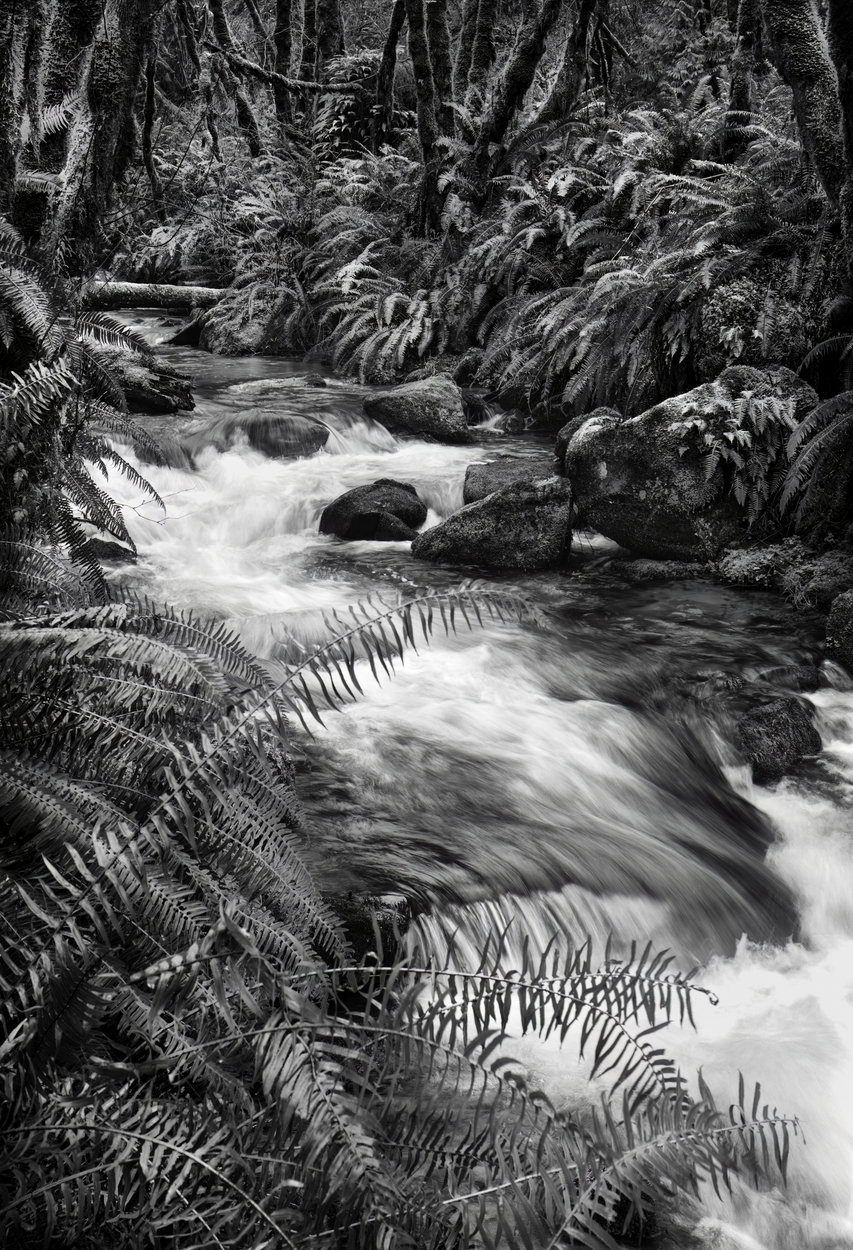
Late winter, rainy season, Oregon coastal range near Florence. 45mm prime at f/16, 1/6th sec. Shot with B&W treatment in mind.
Raw File
untitled-4729.NEF (41 MB)
You may only download this file to demonstrate how you would process the image. The file is Copyright of the photographer, and you must delete the raw file when you are done. Please post a jpg of what you created, explain what you did, and why you did it.
My Edit
1 Like
This is a very handsome image. There is a full set of tonalities and the water is not blown out or over burned.
The ferns and trees make for an opportunity for confusion in the scene, but your composition and (I am assuming) selective dodging or luminosity masking of the ferns helps create a visual balance and sense of light that may not have existed in the original.
I also like how you didn’t succumb to the tendency to create black holes in the shadows, but left hints of detail in the deep shadows - as it should be.
I see no reason to try and improve on a well crafted piece.
Hi Mark, I know I am really late to this image, but I have to agree with @Guy_Manning, this is an exceptional image and I know anything I do wouldn’t come close. Awesome.
I agree, this looks excellent already but I’ll take a stab at it just to see how my editing style changes it. Stay tuned! 
As promised, here is my take on this image:
First, in Lightroom:
In Photoshop:
- The first thing I did was to use a Lights luminosity mask to select the very bright areas of the water and brought them down using a levels adjustment.
- Then, I tried the “Make it Glow” action from the TK9 panel. I try this on my images some of the time (actually a lot lately) because it sometimes adds a nice saturation boost and added glow to an image but other times it just doesn’t look good. Here I liked the effect though.
- Next I used another action/tool from the TK9 panel and that was the Paint Contrast tool. I used it to enhance the contrast in the water of the creek.
- Next, was my obligatory vignette.
- Then I used another levels adjustment through a darks mask to slightly lighten the very dark areas of the image to slightly decrease the overall contrast.
- Next was a Brightness/Contrast layer with a light mask to target the water and darken it a bit more.
- Then I used the LIGHTS Triple Play to add a bit more micro-contrast and detail back to the water.
- And finally I did some cleaning up with the Remove tool to get rid of a couple bright areas in the very top left corner of the image.
1 Like
Hi Mark,
Thanks for letting us have a go at processing your image.
Here is what I did. Opened in ACR and increased the exposure by about 1/2 stop. I lowered the contrast by 30 points as deep forest scene get the shadows blocked up really fast and any bright light tends to exceed camera dynamic range. I dropped the highlights down by 100 points and opened the blacks up by 100 points and shadows by 50 points. I used shade for the white balance. That was my starting point and then brought it into PS. In PS I started with a levels layer to set the black point and white point and a small bump up on the mid tones. Then a slight contrast boost with a curves layer. These next two steps are something I do for all my forest scenes. I duplicated and merged the existing layers, including the image layer. I then apply a generous gaussian blur and then the Image menu I Apply Image as a screen, which lightens the whole layer, but then change its mode to Multiply which overly darkes the scene. Then I apply a strong curves layer to bring the brightness back up. At this point the image looks fairly garish. But I reduce the fill on the curves layer to about 25% and the fill on the Apply Image layer to about 70%. What I find it that it richness the whole image, adding some contrast, softness, and saturation. I then group those two layers together and can adjust the pass through if needed. I then used a lights mask to burn in some hot spots in the water and a mid tone mask to dodge the ferns on the BG right side bank to keep the eye moving through the scene.
Again thank you for giving us the chance to play with your image.
Black and White. Everything really pops out !!! Great vibe and movement in this image !!!