Critique Style Requested: Standard
The photographer is looking for generalized feedback about the aesthetic and technical qualities of their image.
Description
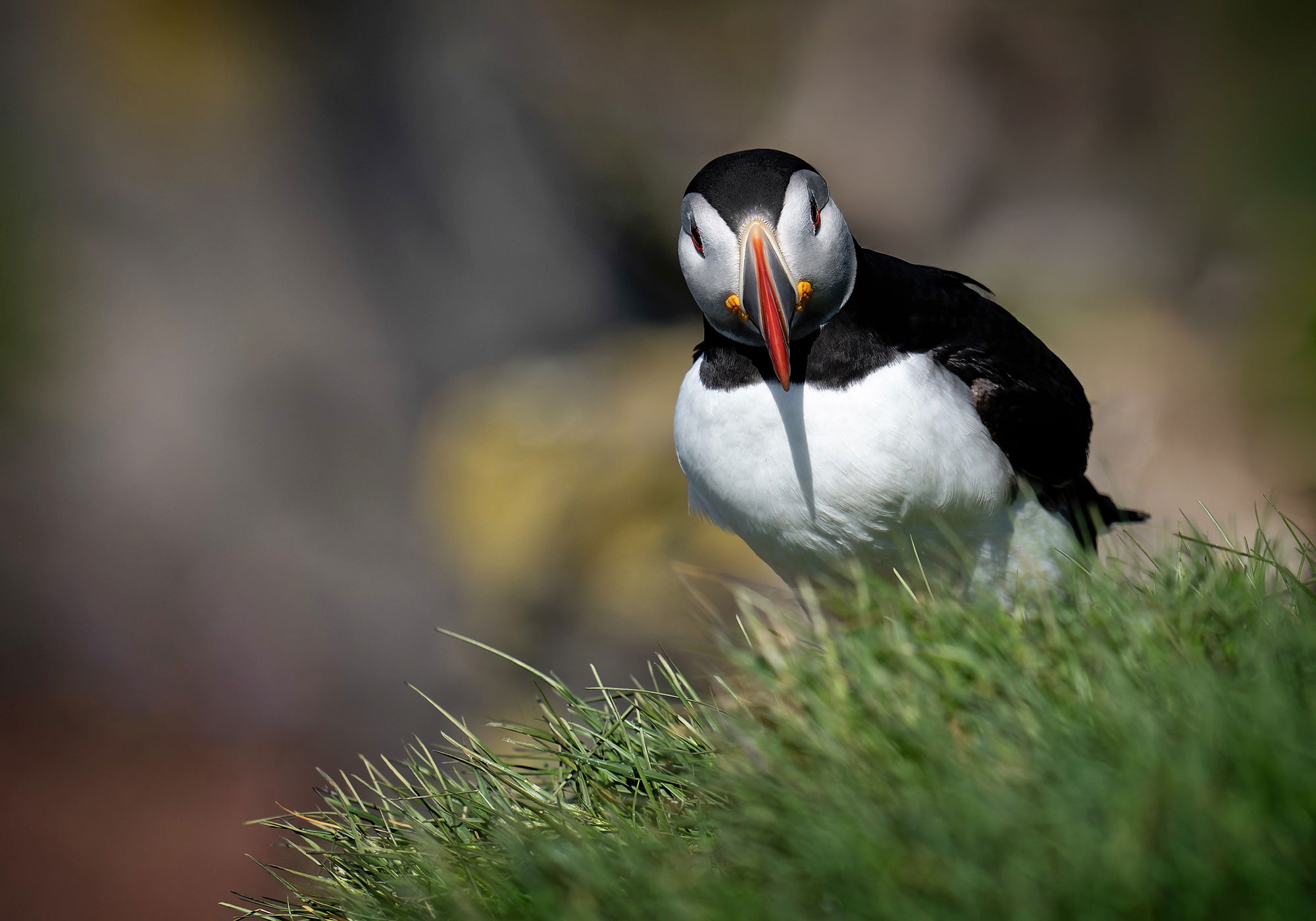
I went to several places to see the puffins but this particular area in westfjord was pretty amazing. The puffins are all hanging out on these very steep and tall cliffs. It would be very to fall if you weren’t paying close attention. But that’s their habitat. After seeing the NPN webinar on seabirds yesterday, I had to post one of mine that I like. If you can still watch the replay, I would by all means encourage you to do that. Excellent webinar.
Specific Feedback
anything that helps me as a photographer
Technical Details
Sony A7r4, 400 mm +1.4 extender, handheld on my belly right over the very steep cliffs in western Iceland
Critique Template
Use of the template is optional, but it can help spark ideas.
- Vision and Purpose:
- Conceptual:
- Emotional Impact and Mood:
- Composition:
- Balance and Visual Weight:
- Depth and Dimension:
- Color:
- Lighting:
- Processing:
- Technical:
1 Like
Puffins are so amazingly photogenic (and cute!) – and you have an excellent capture here! Well done!
Beautiful lighting and a great pose in this one, David. I can’t recall whether you do much LR processing, but if you do you could select that yellow area to the left of the puffin and use the point color tool to desaturate and darken it a bit. It’s just yellow enough to draw my eye past the puffin.
Hi David, nice head on look from this very photogenic bird. The details looks great with fine whites. I could see maybe taking a small sliver off the bottom to lessen the out of focus greens there. Fine image!
okay Dennis,
I’m testing out a better microphone system my laptop. It works on and off and there are times when it doesn’t seem transcribed correctly. Today right now, is working.
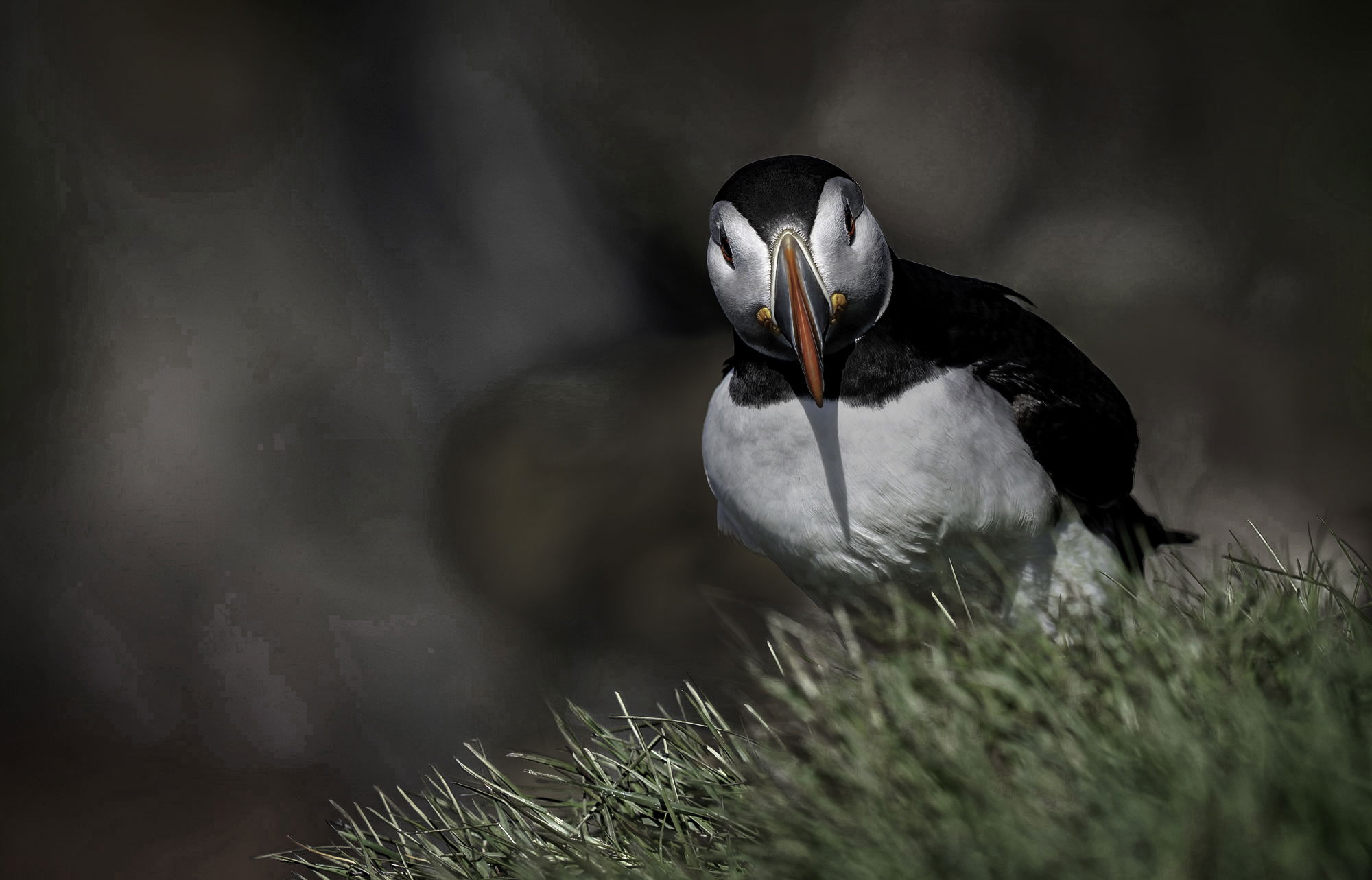
Thanks for your comments on my photograph of the puffin.I tried what you suggested using the tool you suggested latest version of light room classic. Seems to work. Let me know what you think of the improvements. I rather like this picture you do too. make an effort to repost it correctly
David
Well it looks like the voice recognition software still needs some improvement. Did you just replace the original? I don’t see a replacement post and it seems different than I remember the original.
No, Dennis, I had problems with the microphone and it didn’t seem to do a good job with voice recognition even with Dragon NaturallySpeaking. So I’m going to send it back to Amazon where it belongs.
Now I’m having a hard time moving photos from Photoshop to Lightroom classic. Is there a good way to do this? I know that it’s easy to move them from Lightroom to Photoshop but the other way seems to be a lot more difficult.
David
You shouldn’t have to move them. PS is just a processing program and LR is the library that tells you where they are (plus provides processing). If you send them from LR to PS, all you should have to do is click on “SAVE” and the version you’ve just edited in PS should get saved in the same folder as the original file and get added to the LR catalog. If you don’t use LR to get it to PS in the first place, when you tell it to save in PS it will probably save it in the same folder, but LR won’t know that you did anything, so it won’t show up there. To get it to show up, you need to go to the folder it’s in in LR and in the Library pull down menu at the top, there’s an item called Synchronize which is supposed to bring whatever folder you’re in up to date. It basically just goes to the import function and you can import anything in that folder that somehow got there without LR knowing it.
Another case where you might need to use it is if you’ve sent it to PS from LR but you’ve used SAVE AS instead of SAVE, LR won’t realize it’s been added to the folder.
thanks for the information on PS and LRC.
here is the repost.
What about “save a copy”. Which allows me to select jpeg…
Not sure about that one, David. The only thing I use if for is when I modify someone else’s image for a critique. I do see some of those pop into LR on occasion, so it might put them there if the original was there. I wouldn’t use that for generating jpegs for posting as I’m not sure it converts and attaches the color space-you’d have to look at the menu to see what the options are.