Input and “sleeping on it” are both very important.
Critique Style Requested:Standard
The photographer is looking for generalized feedback about the aesthetic and technical qualities of their image.
Description
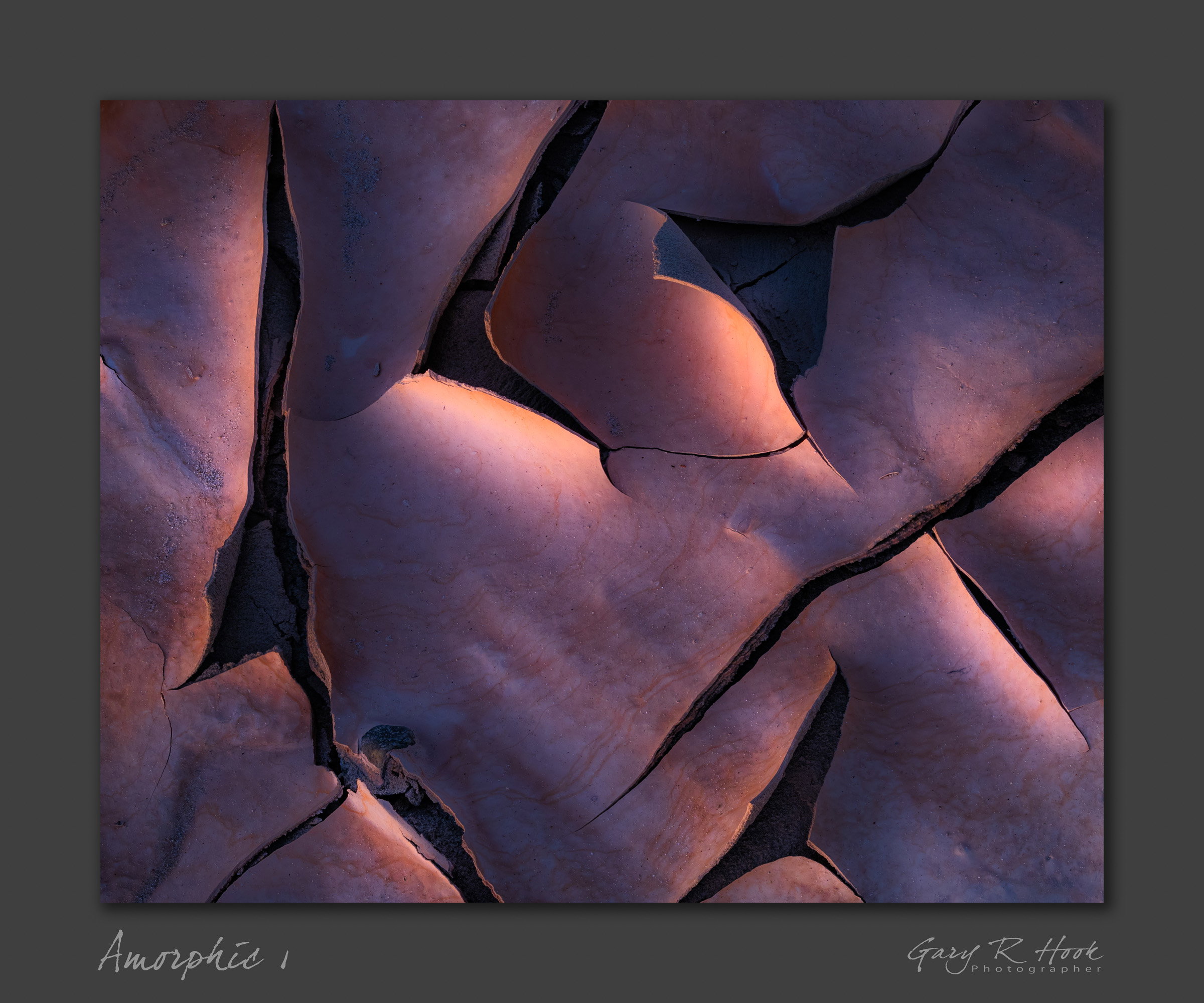
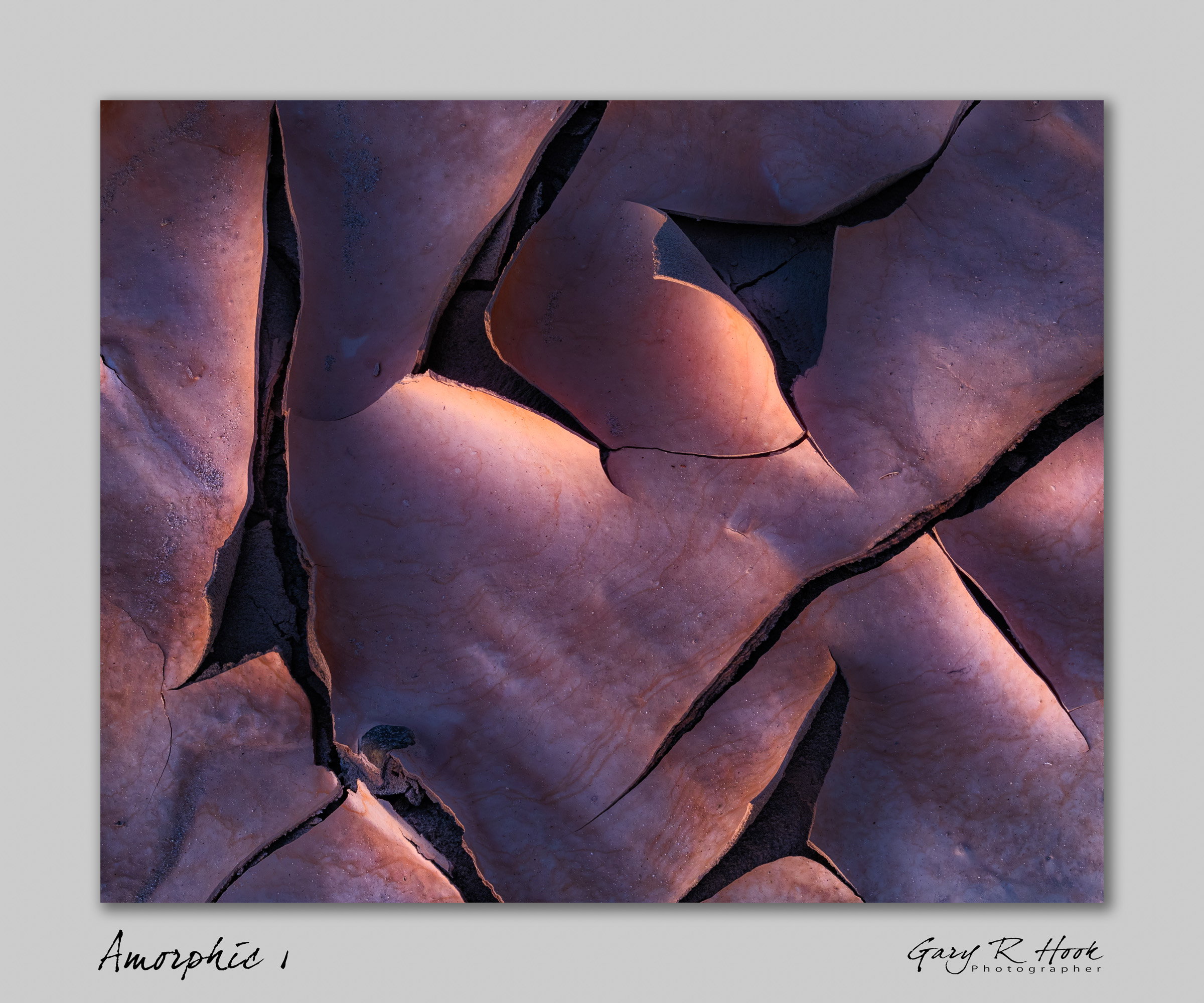
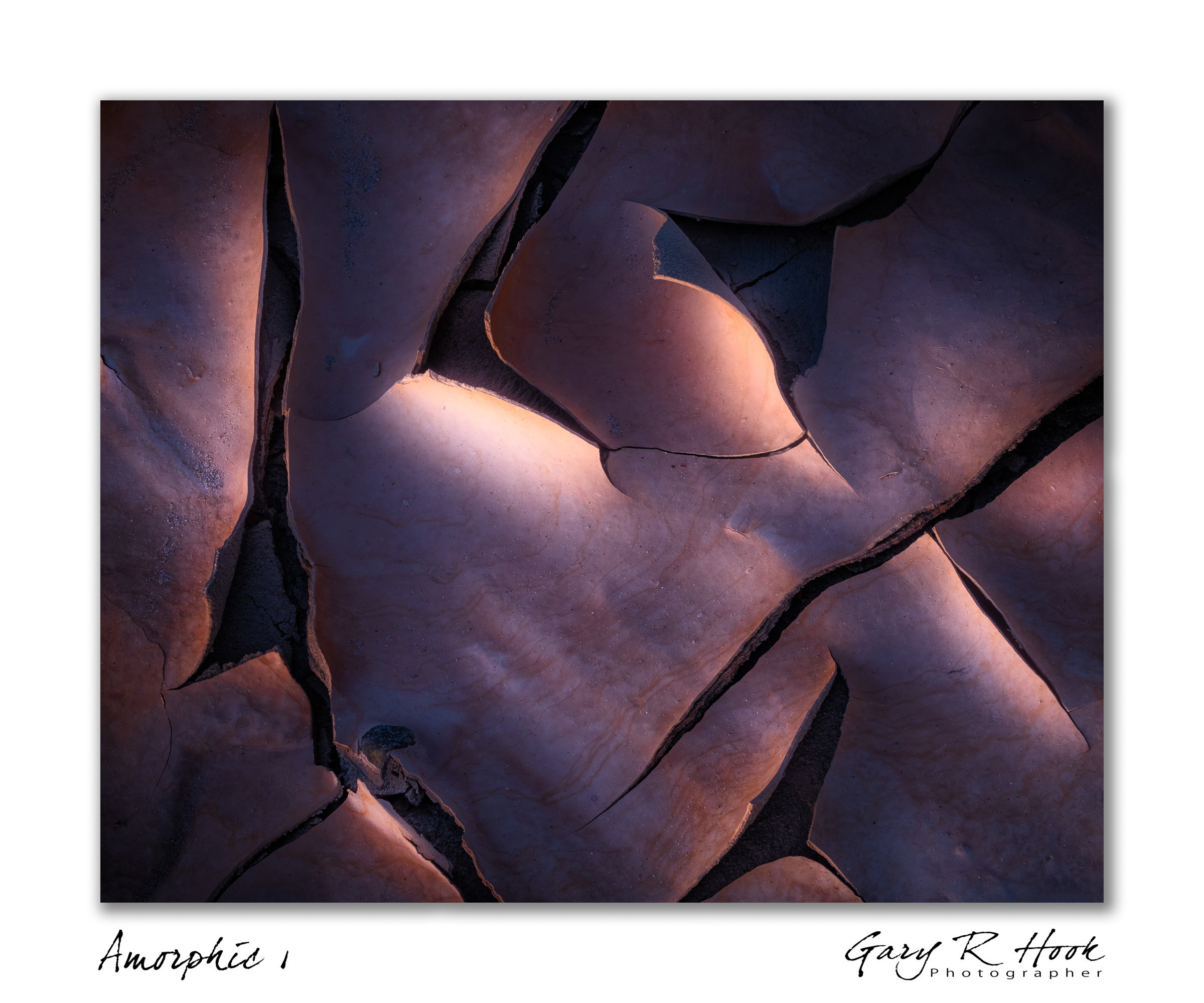
From a recent Death Valley workshop, this was found during an evening exploring mud. Truly great fun. The shapes and colors kept me busy; now, in post, I’m finding things that I am happy with. But I like abstract stuff: the shapes, the details, the surprises, the joy in discovering things I’ve not really paid attention to until now.
Specific Feedback
I’m look for impressions and general reactions for aesthetics, composition, mood, and impact.
Technical Details
This is a focus stack. I wanted everything from the top of the nearest curl to the insides of the cracks, and I was very close to the subject. The stack was acquired with a Nikon Z9 + 100-400 lens, 1.6s at f/8, ISO 500. I think the step size was probably “1”.
The mat/border is more an experiment in presentation. I’m happy to hear comments about that, but it’s secondary to the image itself.
Gary, it’s an unusual and intriguing image. My only qualm is that the brightest area is blown out, according to my eyes and my levels tool. If the original exposure had more color and detail there, I think it would help to bring some back.
Remarkably beautiful in light, color, and form. It’s captivating. It’s my kind of image that’s for sure. For me it works as a pure abstract without reference to anything else. I also like the chosen color balance here. There’s a metallic sense to the image I think. I like the white border but that’s just me. Some people say it’s disturbing but I find that it makes the image more poignant. I also find this to be pretty original. Although mud cracks are shot a lot this doesn’t even look like a mud crack. And that is its strength.
A very beautiful image, Gary. I love the curves of the mud and the color makes me think of clay and from there to potsherds. I’m not as fond of the vignette, which I don’t think is needed here and to me it obscures some of the goodies in the corners, but then I rarely use vignettes, so it’s probably just taste.The rest of the lighting is awesome.
Wow, that’s exceptional Gary. It takes a moment to figure out, and I love that about it. I also found the color quite beautiful, and you have a wonderful interplay of lines. Well done!
My only suggestion would be to drop the brightness of the frame just a little.
I really love this, Gary. As mentioned above, the mud has such a metallic quality, which to me is created by the blue hues. It’s that kind of steely gray blue magenta that does occur in nature, but still feels an amalgam of something.
The frame is a bit bright. The vignette doesn’t bother me, though I don’t think it’s necessary either. I know I feel a need for vignette when the subject needs more isolation in the frame, and here, the subject is edge to edge.
Nice work. Question: Amorphic or Anthropic? Or both? You use both terms for the title, and I would be inclined to go with Amorphic. Anthropic is now a trademark embroiled in a political dispute.
ML
The compositionWorks well for my eye with none of the lines taking my eye out of the scene and it also feels very balanced top to bottom and side to side with both light and shadow. The image is high contrast with good darks and good whites except for the one section which you might bring down just a touch to add some color to it but it does have a moody vibe going for it. It’s terrifically abstract and as @Igor_Doncov mentioned, it really doesn’t look like mud tiles which makes it stand out amongst mud tile images for it’s uniqueness. The colors are exceptional in bringing out a metal loook to it. I think it’s the high shine and relatively low texture that makes this the case but also the colors. It looks like a meatl print.
The border frame works for me as I use them all the time but I also get why it bothers many here on the site. I also like the drop shadow which I have begun using as well. All in all, this is a really terrific and unique image and I really don’t have anything to suggest other than to bring down the whitest whites to give that one section a bit more color and warmth. Nice job!
Gary, this has a lovely 3D feeling with the high angle lighting. The metallic sense also looks great. It’s worth testing for yourself, but with my R5, I’ve found that step size of 3 gets me maximum sharpness in stacks. (Yeah frames are cheap in digital cameras and this mud was about to move…)
N0w, does that mean that that spot is fine? Absolutely not. I have struggled with it, and now I think that it needs to be tamed. So some changes are afoot.
Thanks for taking the time! Greatly appreciated.
@Dennis_Plank I’m not committed to the vignette, Thank you for your thoughts!!
@Igor_Doncov Much appreciated. I’m reconsidering the white border (because comments) but I tend to go with white mat/white frame in general.
@David_Haynes Thank you so much for your remarks. You’ve elucidated things that I feel but typically don’t explicitly consider. So lots to learn here. As stated above, I agree that the brightest area is out of balance.
@Mark_Seaver I’m still working to understand the step size on my Z9. Nikon offers no guidance, and since bits are cheap, more shots is better. As an aside, I’m thinking now that once I’ve got a stack I’m happy with in DNG format, the original files can be deleted. Overshooting would be temporary. While I’ve not taken action, I’m getting more comfortable with this idea.
@taiyo I think mentally I had a “hands-off” perspective, but I like what you’ve observed! Much thanks.
I think the edit looks fantastic. It does bring warmth and color back to that bright highlighted section and it better matches the brights right next to it. Yes, it does feel and look like a different image but in a good way. Nice job!
However, I like the vignette in the original image. I miss the darkness around the edges of the frame.
Definitely a completely different image, Gary. The warming tends to increase the contrast with the gray/blue areas and shift them toward gray to my eye. Reducing/removing the vignette completely changes the composition. I’m not sure which I prefer now. I suspect this is one of those images that you could spend months processing, then come back to it in a few years and start all over.
What @David_Haynes said. The colors are better but the vignette was better. The rework is more literal to me. Some of the mystique has been lost. But like you said they’re just different images. One can like each for what it is. But in my opinion overall the original was better. Personally I think it’s better to evaluate an image with your gut rather than use common suggestions (the whites are too close to the right margin, the blacks should have good detail). I don’t know. They’re both good.
In my case I reach a point where I can keep tweeking an image forever and give it different interpretations. Virtually every image can be reinterpreted in some other way and come up with a decent image. I just stop because I don’t find it stimulating to do so. But that’s just me. In my opinion this is more of a reinterpretation than an improvement.
@David_Haynes I miss the vignette, as well. I know folks often don’t like a heavy-handed vignette, but here, a very light one just doesn’t work.
@Dennis_Plank Yes, I see several ways to go here. And I have to pick just one.
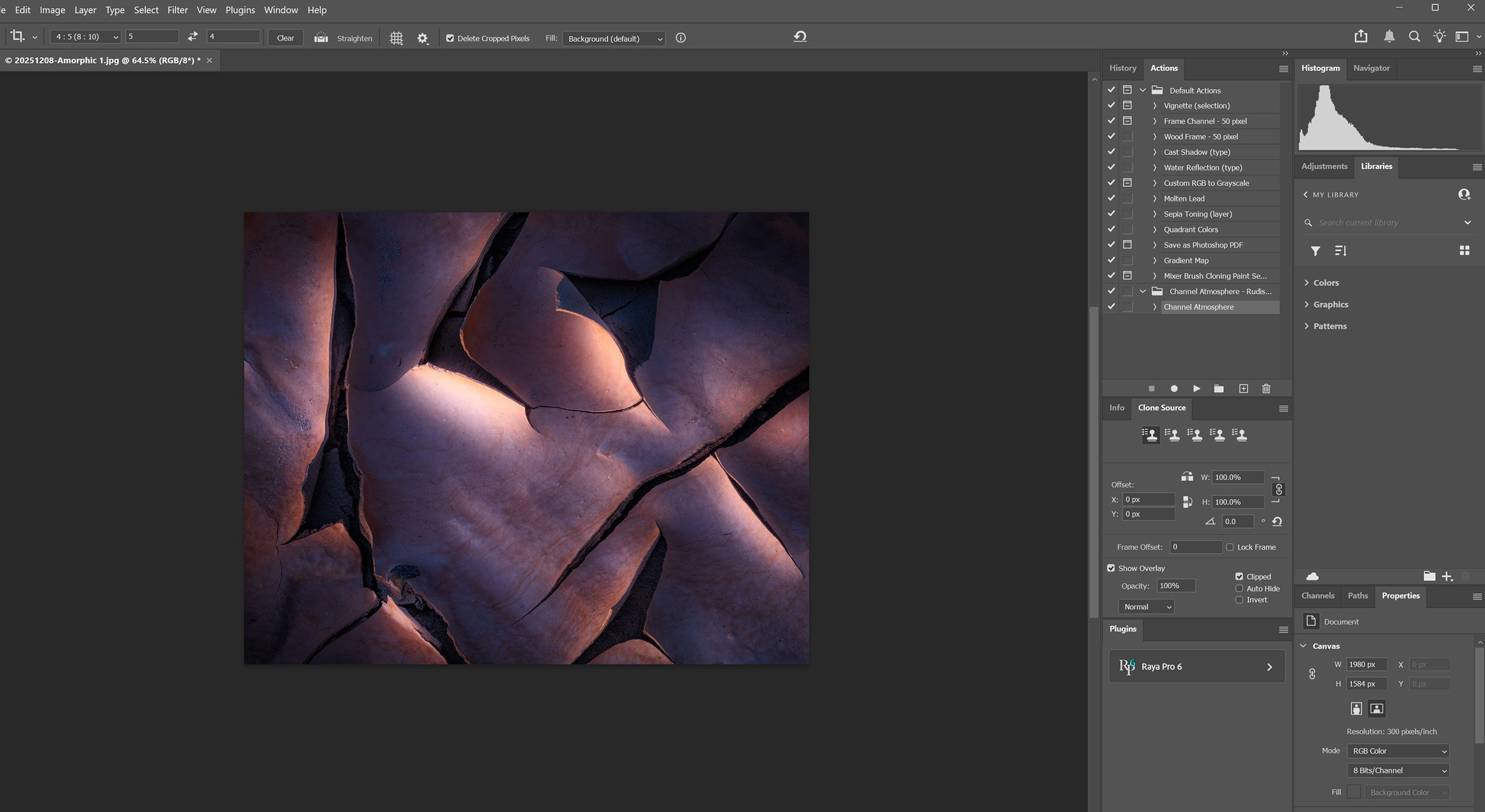
@Igor_Doncov Yes, version 2 is literal, and therefore not what I found appealing. Here I used the blue channel (which evinced the striations) to add some mid-range contrast, but now I’m just going to decrease overall contrast to get the mood back.
Hi Gary,
I don’t think you can go wrong with any of the three versions, but I am loving the final edit with that darker grey mat as I feel it compliments the lovely warm and cool tones in the image. This is a unique and unusual take on mud tiles and for my tastes the diagonals work beautifully here. The soft light is very striking and I like that you tamed that one bright spot as that would have been my only suggestion. Lovely intimate landscape.
The subject and the light are both exquisite. But it is hard to make a fair judgement on what the photo needs processing wise when the surrounding border keeps changing, as it creates a Bezold Effect that causes a shift in the perceived colors and brightness. I would suggest presenting all three version you posted with out the borders so that they can be evaluated without any bias due to the border.