Critique Style Requested: Standard
The photographer is looking for generalized feedback about the aesthetic and technical qualities of their image.
Description
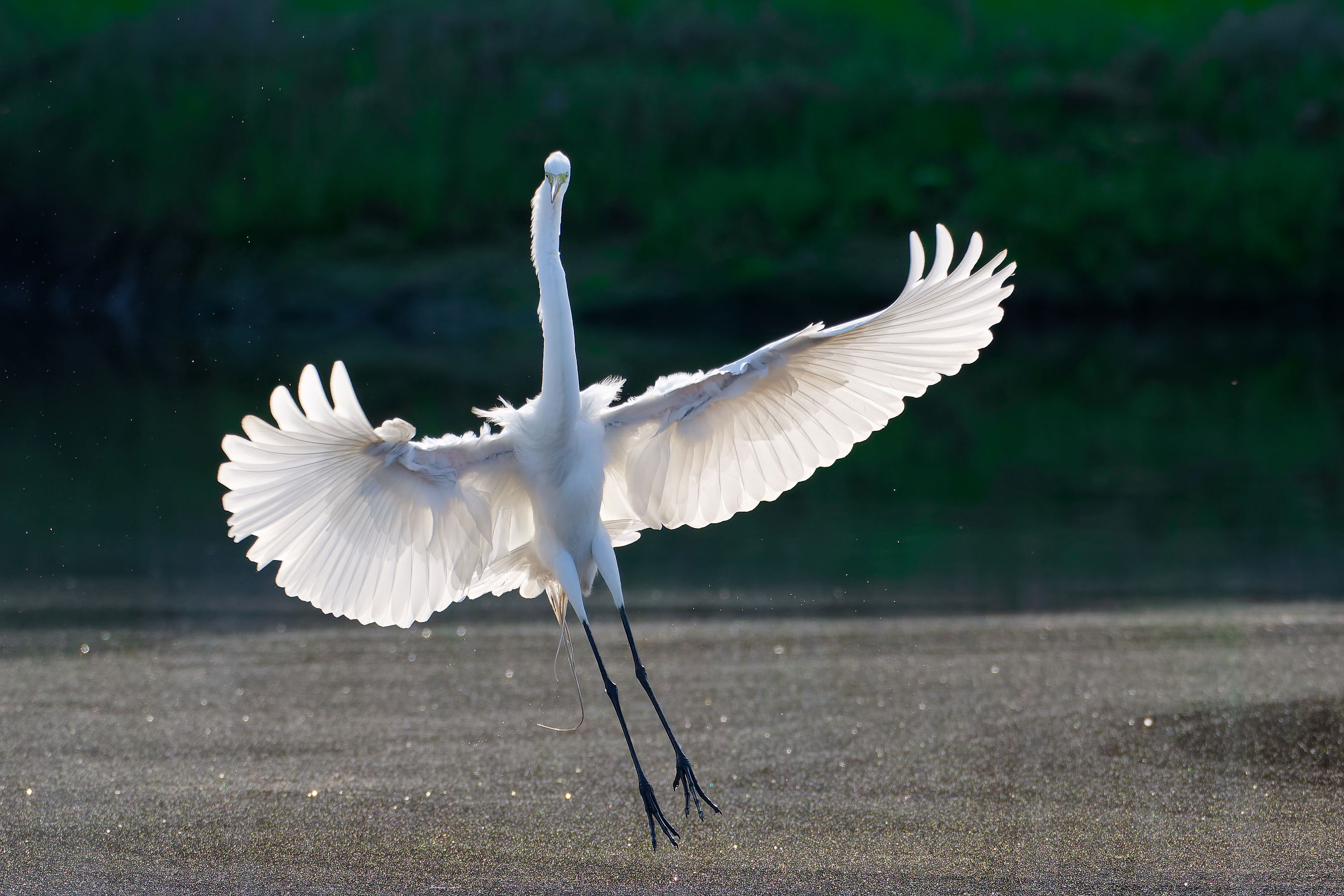
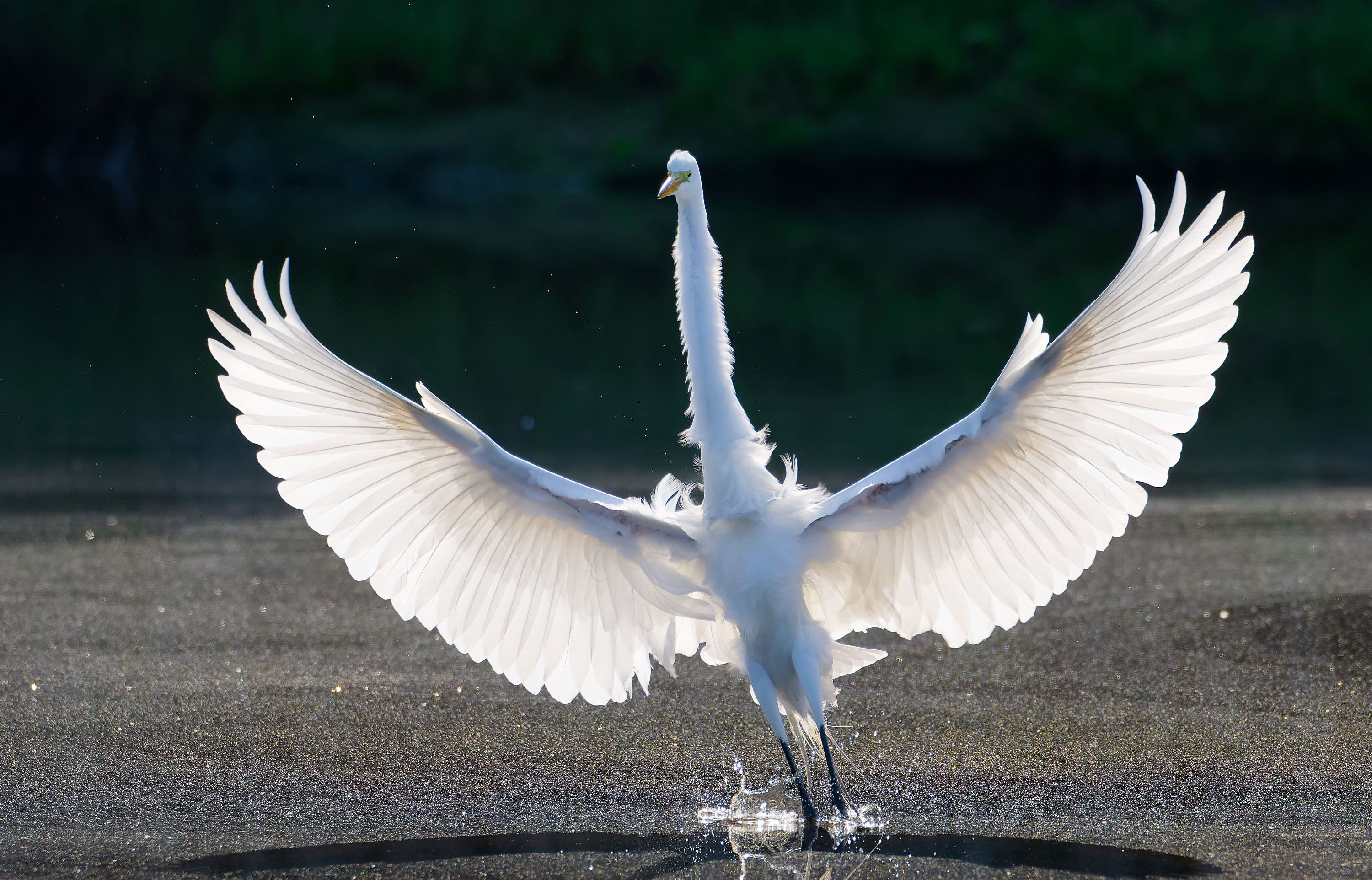
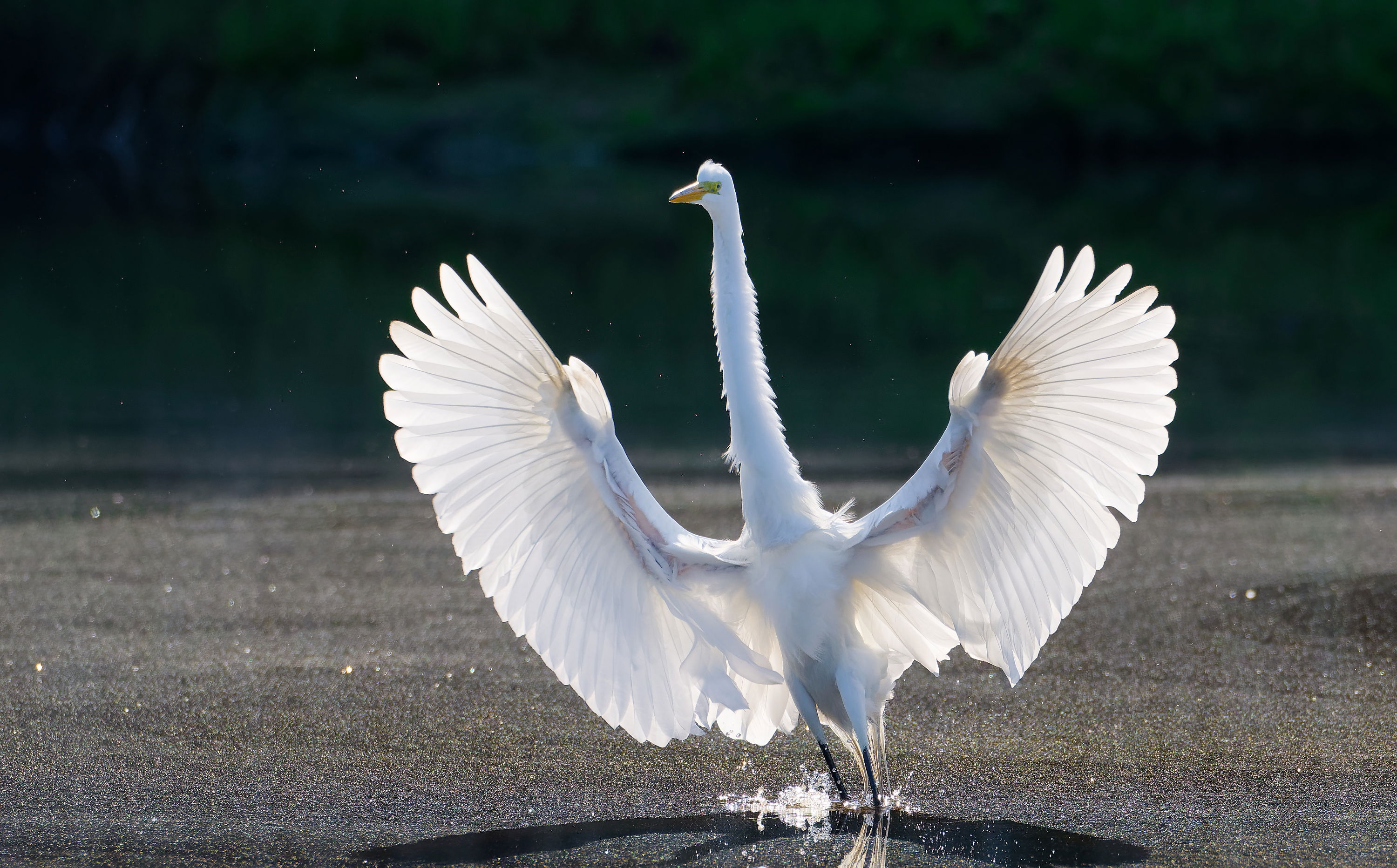
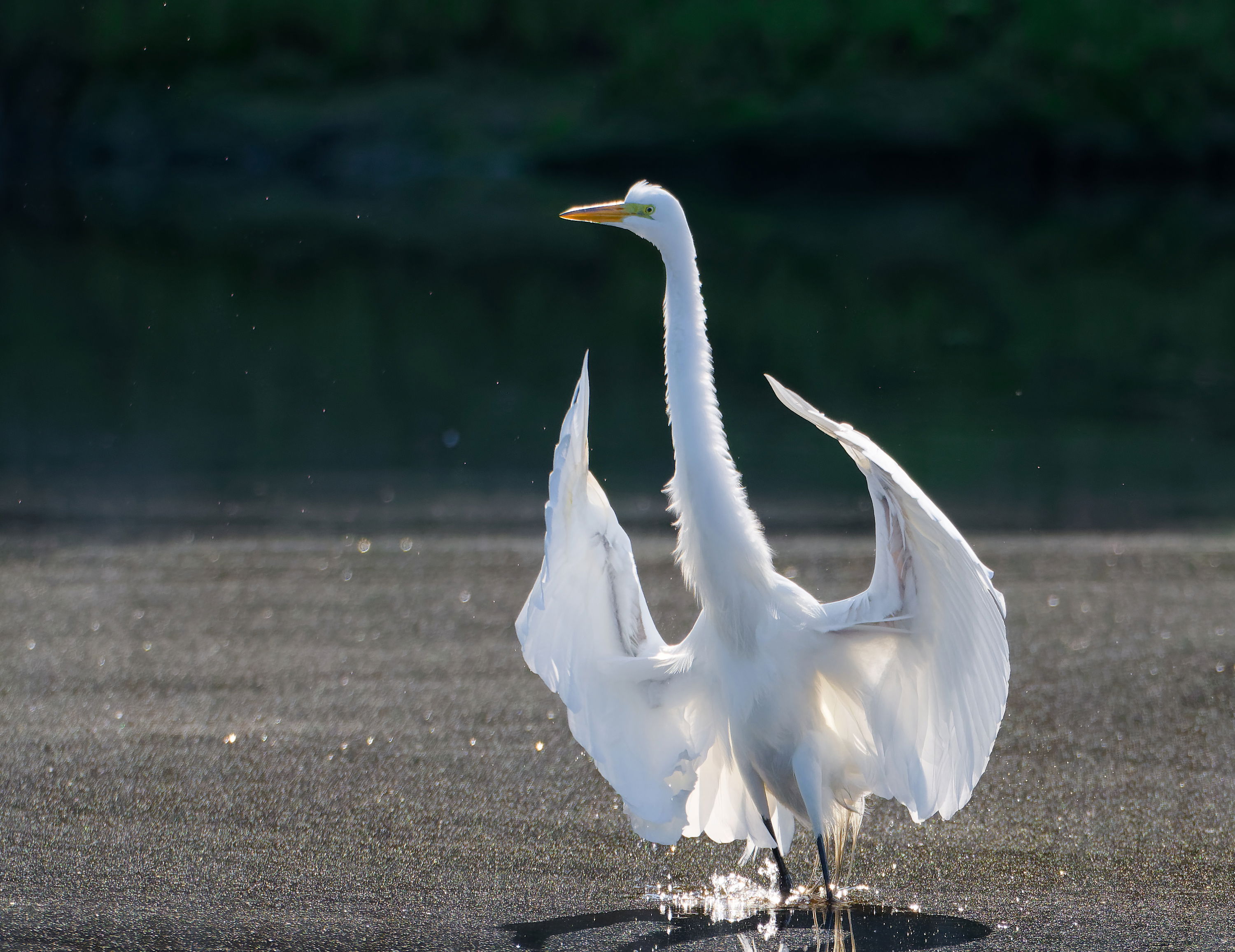
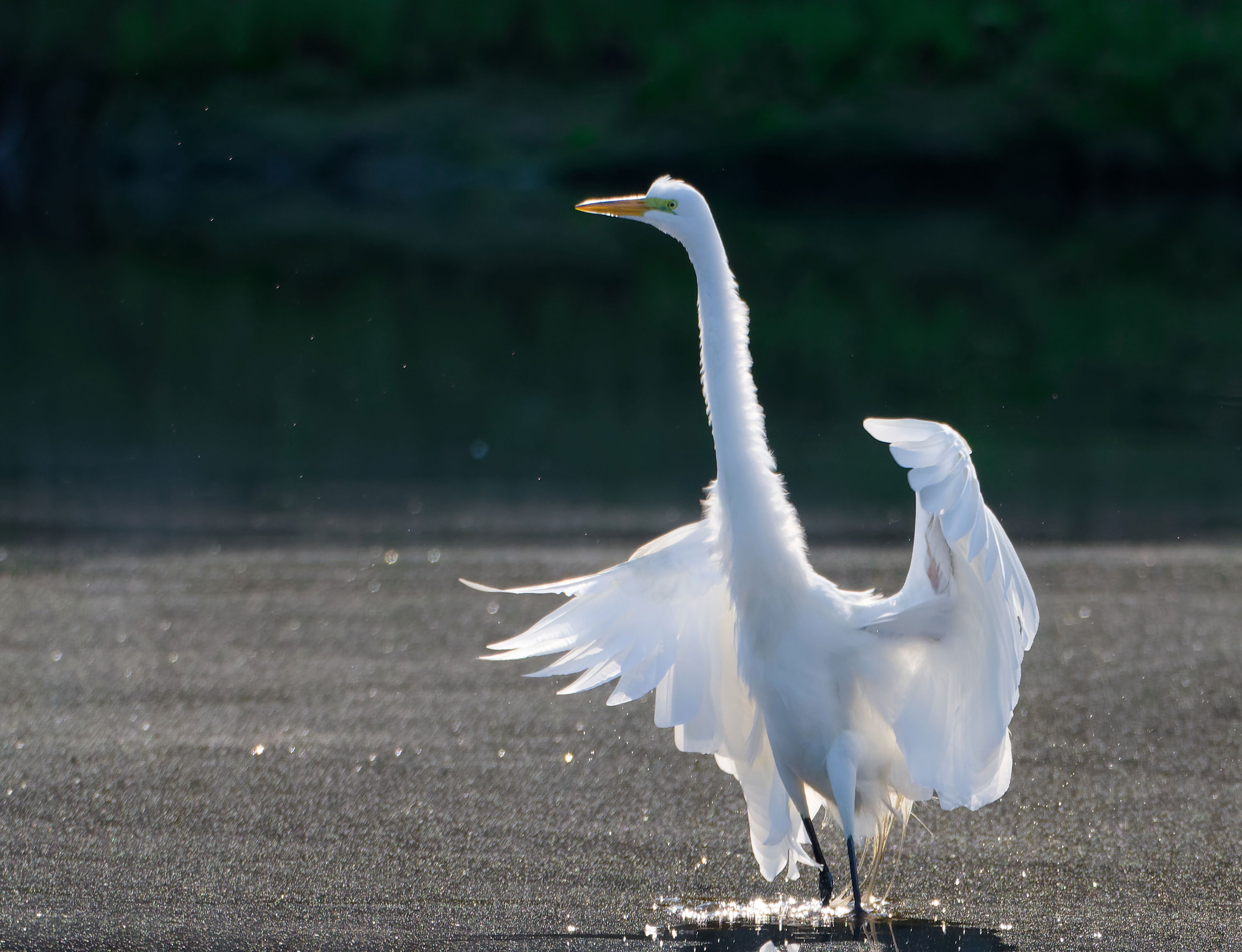
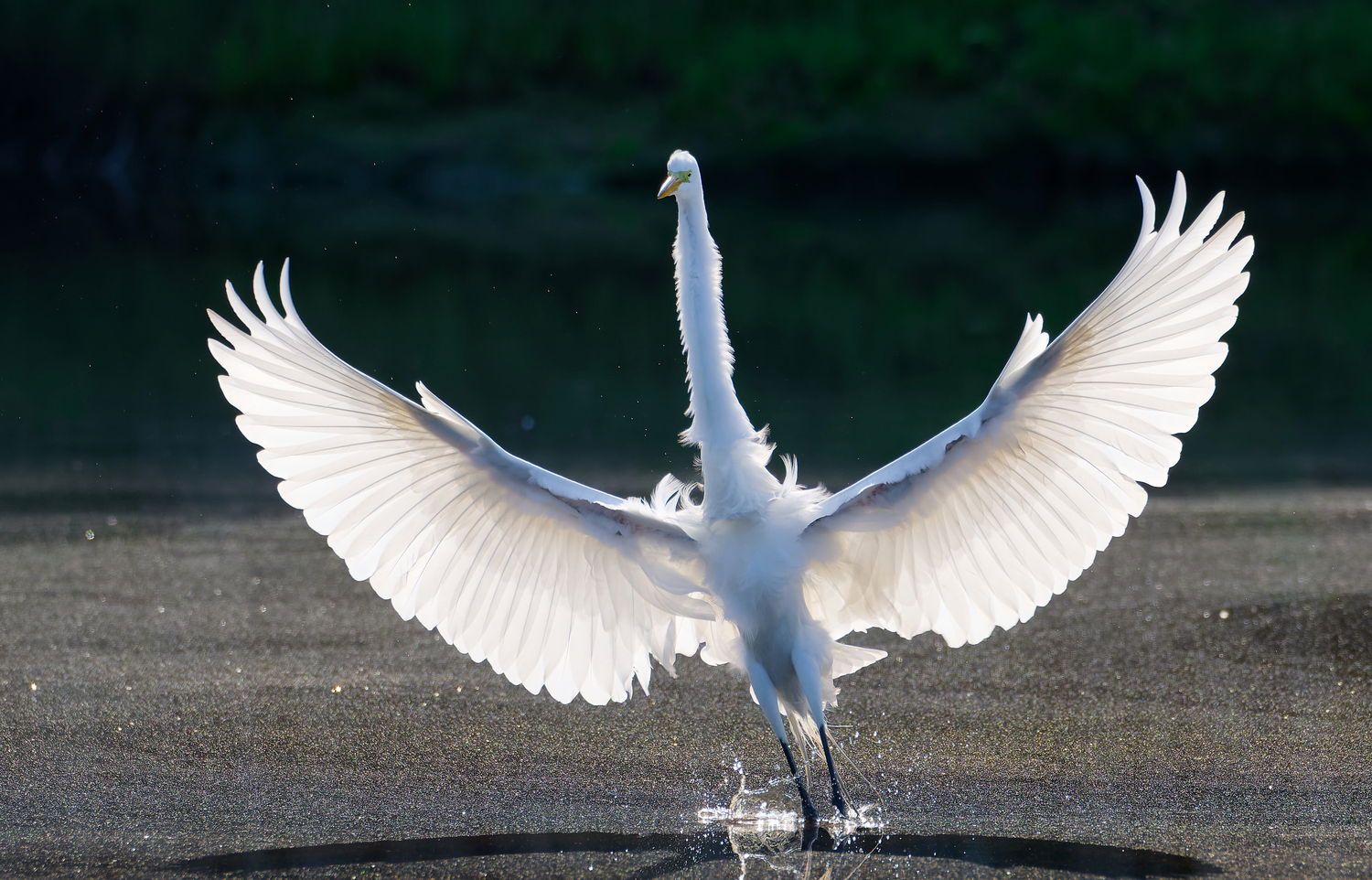
These are the last five frames of the Egret land at The Four Mile River.
Thank you for stopping by.
Peter
Specific Feedback
any
Technical Details
Z8, Nikon 1890-600mm & 1.4ext, f8.5, 660mm, -1EV, ISO 1400, 1/2000, and cropped in DXO PhotoLab 8. The shadows were reduced using a Auto Mask.
Critique Template
Use of the template is optional, but it can help spark ideas.
- Vision and Purpose:
- Conceptual:
- Emotional Impact and Mood:
- Composition:
- Balance and Visual Weight:
- Depth and Dimension:
- Color:
- Lighting:
- Processing:
- Technical:
These are all very cool images, Peter. In addition to the one you already posted, the first and fourth really appeal to me.
Peter,
I’m a sucker for wingspan, so the first one is my favorite. And, more of the wings are against the darker background in the first vs the second, so it seems more dramatic to me.
Great action shots.
Excellent capture of the egret landing, Peter. I like the wingspan in the second and third.
Hi Dennis, Mark & Allen
Thank you for the comments. I may have spent too many years in broadcasting, but the last frame speaks to me as if the Egret is saying, “exit stage right.” Thank you for stopping by.
Peter
Peter hi I am going with the second image as the bird is just touching the water with a slight splash the wings are extended fully my only issue here is theat the masking was to much the wings could be a lot darker which would give you a much better texture in the wings. Remember its backlit use that to your advantage. Great set
Hi Peter, nice series. I like the light playing through the wings especially in the first three images. Well done.
Hi Avi & Allen
Thank you for your comments. Avi, here is a re-post of the second photograph with the mask turned off.
Peter
Yes, these are nice images of the egret. I have seen one egret in my neighborhood but have many many great blue herons. They don’t seem to be as graceful as the egrets.
I wanted to ask you as a user of DXO photo lab, did you upgrade and is it worth it? What are the improvements as they put in the program, I have 7.5 and may be fine for what I do.
Hello,
So I went and got myself deep brain stimulation surgery for my Parkinson’s. I’m the bionic man. I’m a battery under my right shoulder. There are about 10 leads coming out of my brain. I’m in the process of being programmed. Once or twice a week, I have to drive an hour and a half to visit my movement disorder specialist who is doing the programming. I have yet to see any results with respect to my dystonia, but I have been walking a little better.
David Schoen
Hi Davis & Sandy
Thank you for the comments.
David, I find DXO PhotoLab 8, gives you better noises removal and the local brushes also work better, you also get better HSL control. As DXO upgrades move forward, you may need to upgrade the PC or IMac. I have a M4 with 24 GB of memory.
From what I have learned from a friend of mine, programming the deep brain stimulation, more of an art than a science.
Peter
Peter
Thanks for the info about DXO8.
I did go and buy it. But I’m having trouble getting into work on my machine. I have a Windows 10 PC running on 64 GB of RAM. But it’s an old machine.
I’m in the process of communicating with the DxO. People in Europe..
I’m sure I’ll get it up and running before too long.
David
Hi David
I looked up the system requirements for a PC. Minimum system configuration:
● Intel® Core™ or AMD Ryzen™ with 4 cores
● 8 GB RAM
● 4 GB available disk space
● 1280 x 768 display
● Microsoft® Windows® 10 version 22H2 or 11 version 22H2 (64-bit)
● For DeepPRIME, DeepPRIME 3, DeepPRIME XD, DeepPRIME XD2s and DeepPRIME XD3 X-Trans Beta:
o Nvidia RTX™ with 4GB of VRAM with latest drivers
o Nvidia GTX™ with 8GB of VRAM with latest drivers
o AMD Radeon RX6000 series with 4GB of VRAM with latest drivers
o Intel ARC with 8GB of VRAM with latest drivers
Recommended system configuration:
● Intel® Core™ processor or AMD Ryzen™ with 8 cores
● 16 GB RAM
● 4 GB available disk space
● 1920 x 1080 display
● Microsoft® Windows® 10 version 22H2 or 11 version 22H2 (64-bit)
● For DeepPRIME, DeepPRIME 3, DeepPRIME XD, DeepPRIME XD2s and DeepPRIME XD3 X-Trans Beta:
o NVIDIA RTX™ 2080, AMD Radeon™ RX 6700 with latest drivers with 8GB of VRAM
My older iMac ran really slow.
Peter
I should have way more than as necessary on my machines.
I have 64 GB of RAM
I have high graphics cards radion RX 480 with 8 GB of RAM
I have multiple hard drives and hard drive controllers that are high-end. There should be no problem in running this program.
I also discovered my laptop had changed to the same settings without me doing anything because I haven’t used it in two years. The laptop is. ASUS hi end pro art machine which equally matches my desktop.
Program doesn’t run on that one either now. It must’ve been changed in the past without my knowledge.
I’m working on it so I will eventually figure it out.
I really appreciate your help in me actually wanted to chat with you if that’s OK.
David Schoen
Hi David
That works for me, any time.
Peter
Outstanding detail, Peter. How lucky you were to have the bird fly in such a right angle good detail an excellent color.
Hi David
Thank you for the comment. I was really pleased in the way this photographs came out.
Peter