Description:
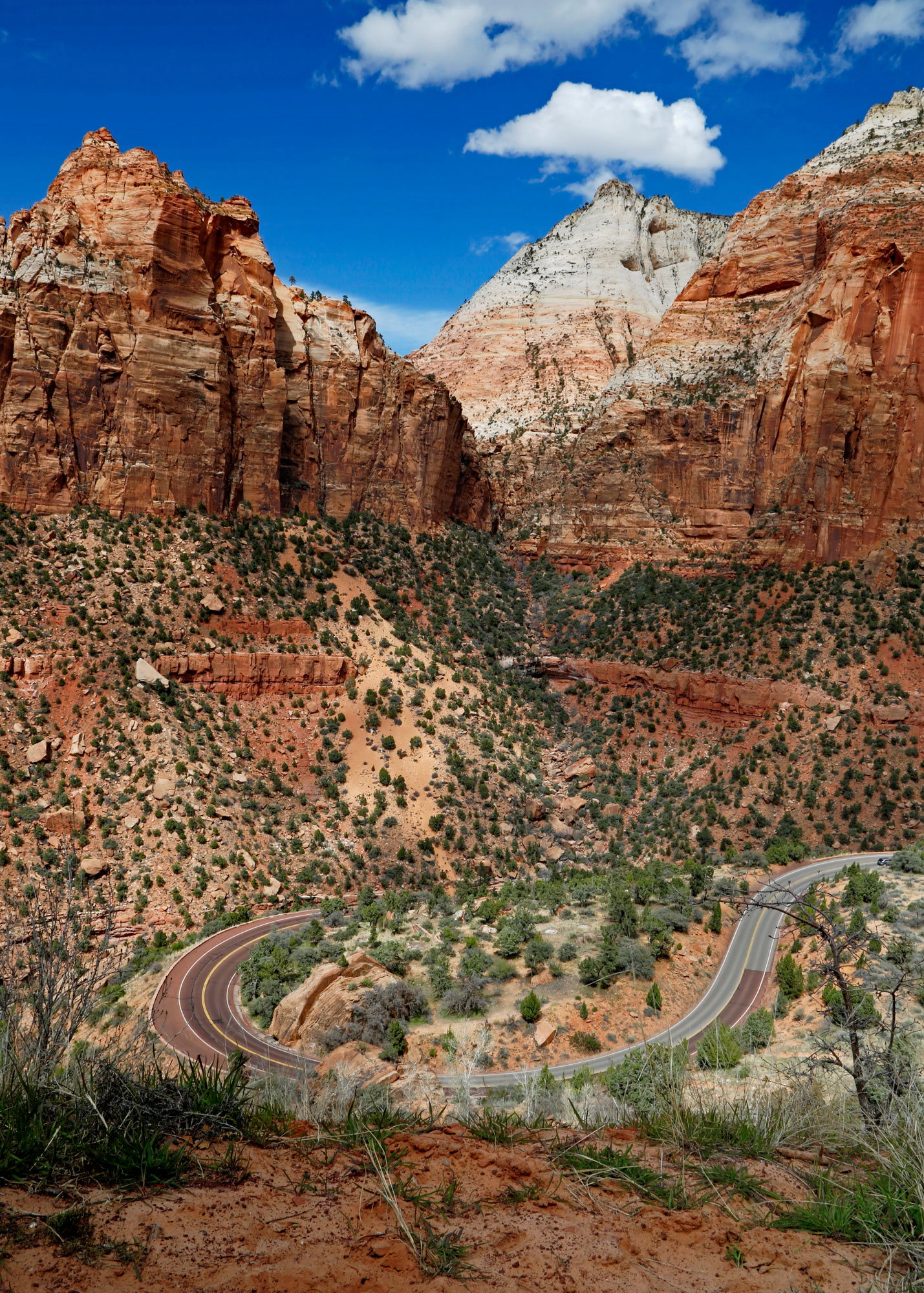
This image was taken from the road leading to the tunnel at Zion NP. I found the big curve in the road very dramatic.
Specific Feedback Requested:
Any thoughts or comments are welcomed.
Pertinent technical details or techniques:
Canon 5DMiii, f22, 1/60 sec, iso 125, -0.5 EV, 24-105 lens at 24 mm, tripod
A cool catch on the shape of the road, Ed. Too bad you couldn’t have gotten a clean image of the whole curve, but I sure wouldn’t have tried getting any closer to the edge! There’s something about the shape of the formation in the upper left that makes the image feel like there’s lens distortion going on-I think it’s an optical illusion because the right side doesn’t have the same feel. Still, I think the image might benefit from a crop down from the top into the formations. Since the image isn’t about the formations themselves, I don’t think losing the skyline is an issue.
I noticed the weird angles in the ULC as you’ve noted here @Dennis_Plank. I’ll play with the crop. Do you think a skew would help to pull that corner out a bit?
I thought about that, but the few times I’ve tried playing with those features, I haven’t done a very good job. It’s certainly worth trying. The nice thing about digital is that you can always undo or throw away as long as you’re half way careful about file management.
Hi Ed:
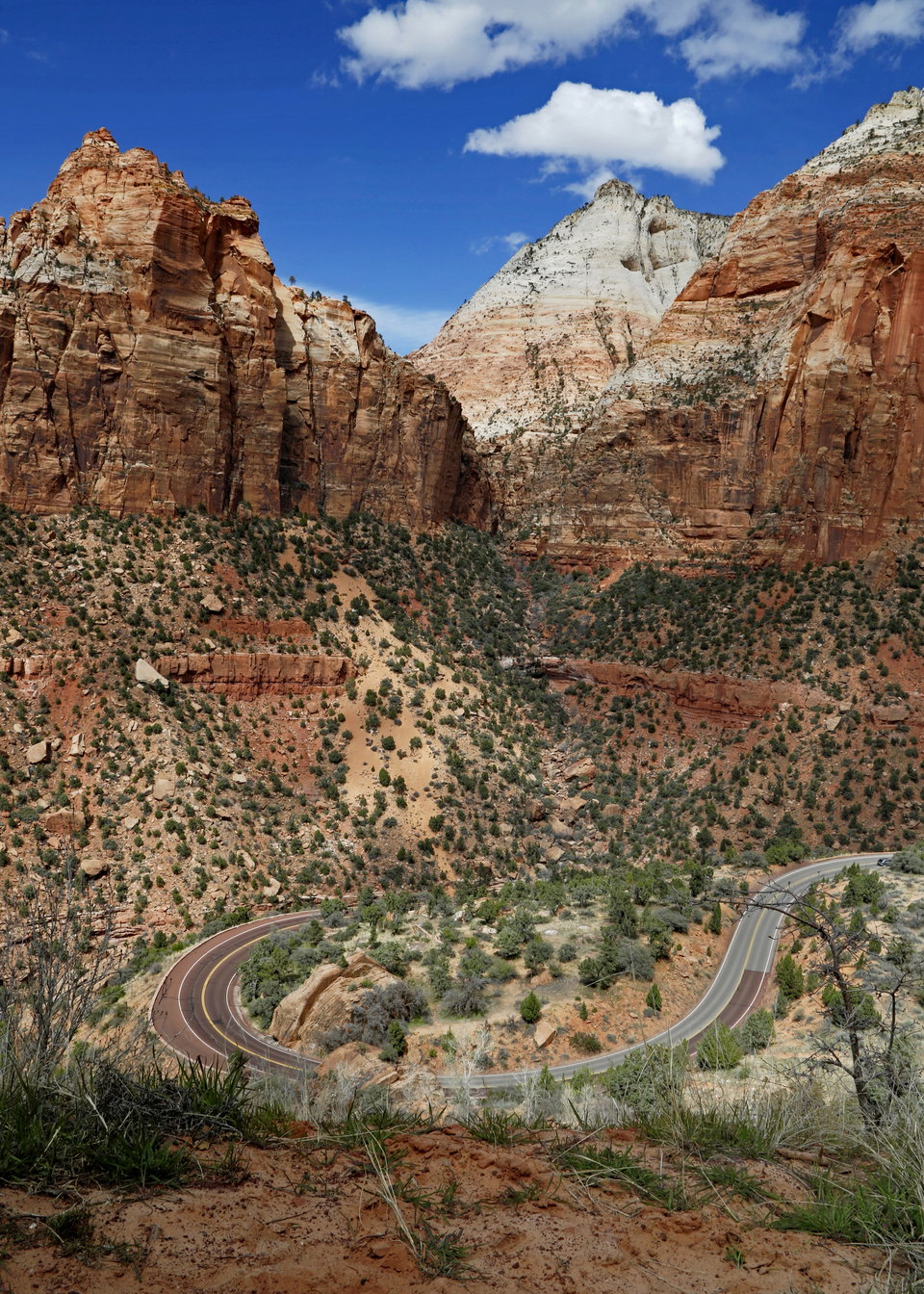
I was trying to play with the crop on this image and when I took it into PS it changed color drastically and PS didn’t ask me about using an embedded color profile, which means you probably didn’t have one. If you don’t embed the srgb profile when you export the jpg, it’s going to shift color-not what you want. I don’t know how you get your images converted to jpg, but all the methods I know of have a box to check to embed the srgb color space which is what you want for social media.
Hi @Dennis_Plank, what I normally do in PS Elements under Image, I click on Convert Color Profile, then click on Convert to Adobe RGB Color Profile, then I go back into Convert Color Profile and Convert to sRGB Profile. Then I go into Save for Web and downsize the file to 2000 pixels on the long side and save the file for posting. I have copied the completed jpeg file before conversion and attached it here.
Hi Ed. That’s the color that I got when I went to PS and played with color spaces for Adobe RGB. You shouldn’t have to convert to sRGB before going to Save for Web. That’s part of the Save for Web process and there’s either a checkbox to embed the profile or it does it automatically, I’m not sure which since I haven’t used Elements in 20 years or more.
1 Like
Thank you @Dennis_Plank. I will try finding the checkbox to embed the profile for the next photo I post.
You can probably find the process in a quick web search.
1 Like